Complete Norwegian accounting system for small limited companies and sole proprietorships
All your accounting — the year-end too. Without an accountant.
Vouchers, bank, invoicing over Peppol, payroll and VAT — plus the year-end, the tax return and the annual accounts, filed to Altinn from Macct. Macct reads the documents and suggests the posting. You approve, and nothing is filed until you say yes.
30 days free, then NOK 250 a month per company — no VAT on top. No payment card, no lock-in — cancel anytime.
AS: tax return, annual accounts and shareholder register statement are sent from Macct after your approval. ENK: the tax return is prepared in Macct, and you file it yourself in Altinn.
Try Macct before you decide: explore a fully populated demo company — no sign-up → Continue with Google
Live in production — not a promise
Not a prototype.
Tax returns and annual accounts for 2025 have already been filed from Macct to the Norwegian Tax Administration and the Register of Company Accounts — by real companies, through the same production integration with Altinn that you get.
Your whole company in one machine
Not an accounting program you have to wire up to four other systems. One system carries the numbers from the first voucher to the last filing.
One machine, all the way
- Documents
- Bookkeeping
- Invoicing
- Payroll
- Bank
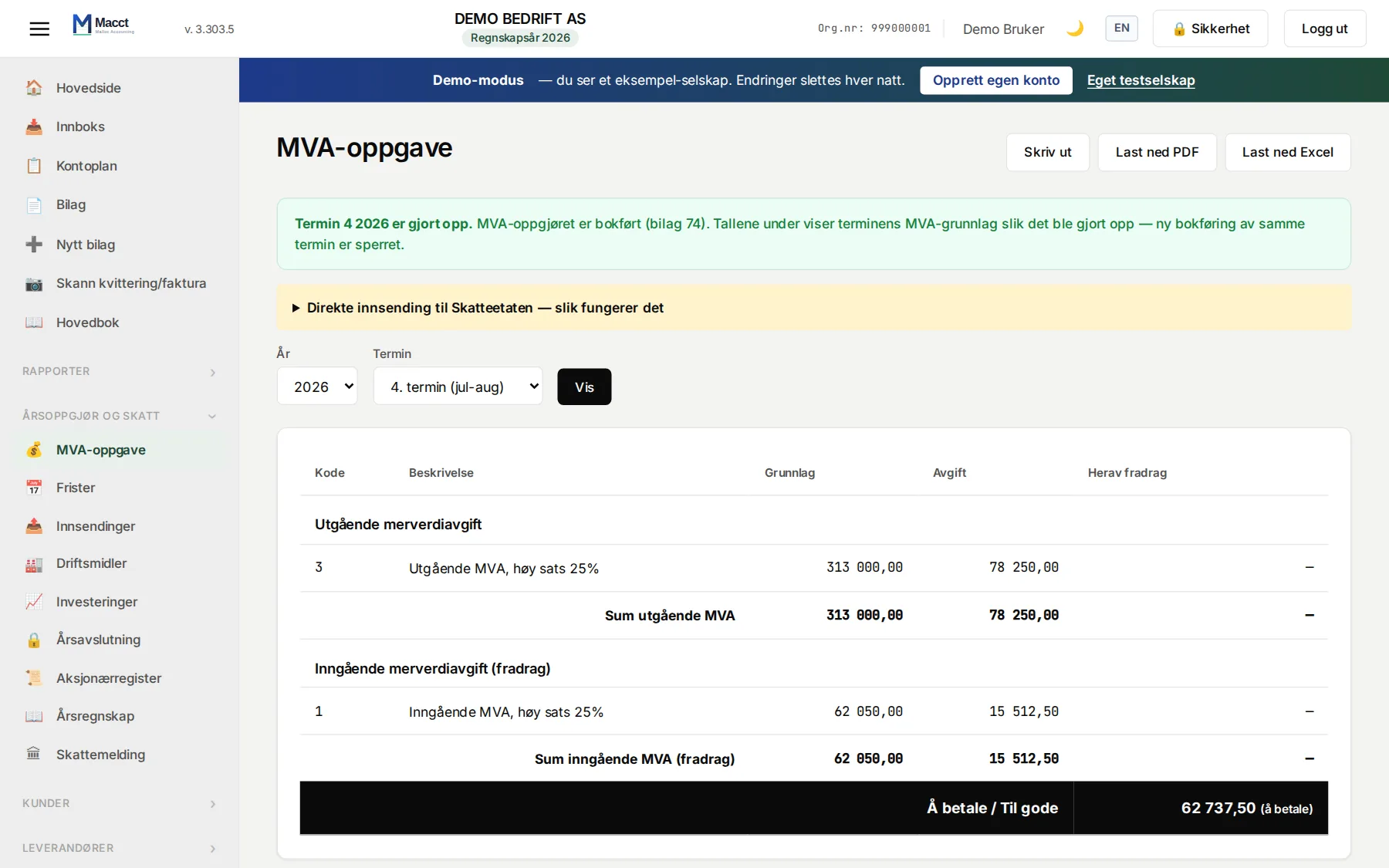
- VAT
- Fixed assets
- Year-end
- Tax return
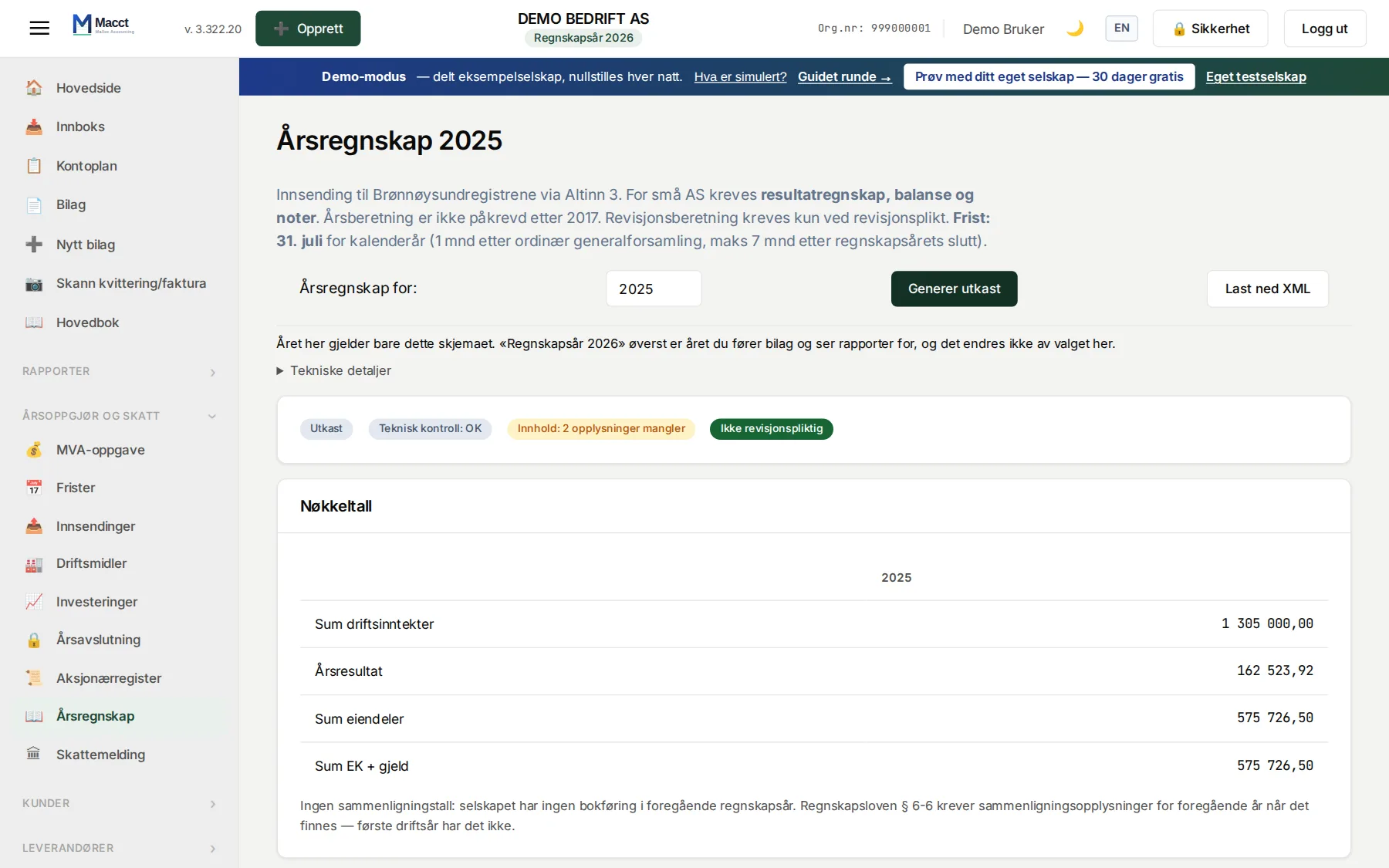
- Annual accounts
- filed
Also in the same system: electronic invoices in and out over Peppol, customer, supplier and employee ledgers, travel expenses and outlays, time tracking, tax deduction cards, the shareholder register return and foreign currency.
The same machine carries the document from the moment it lands in the inbox until the tax return is filed. No export halfway. No double entry.
One machine. NOK 250/month. All of your accounting included.
New in Macct
Latest news — in production now
Macct changes every week. This is the newest work running in production today — not a roadmap.
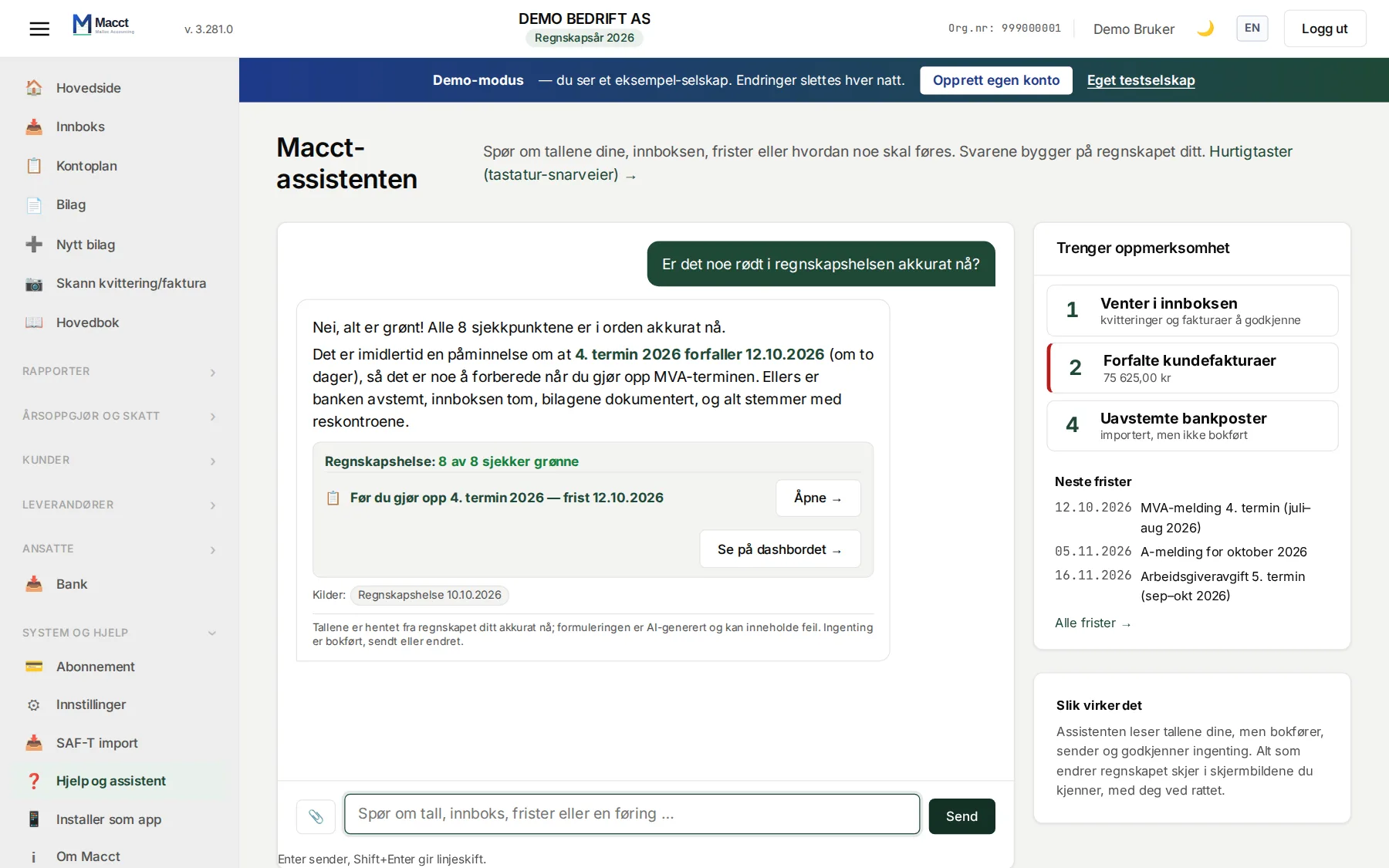
The Macct assistant
Your books. Just ask.
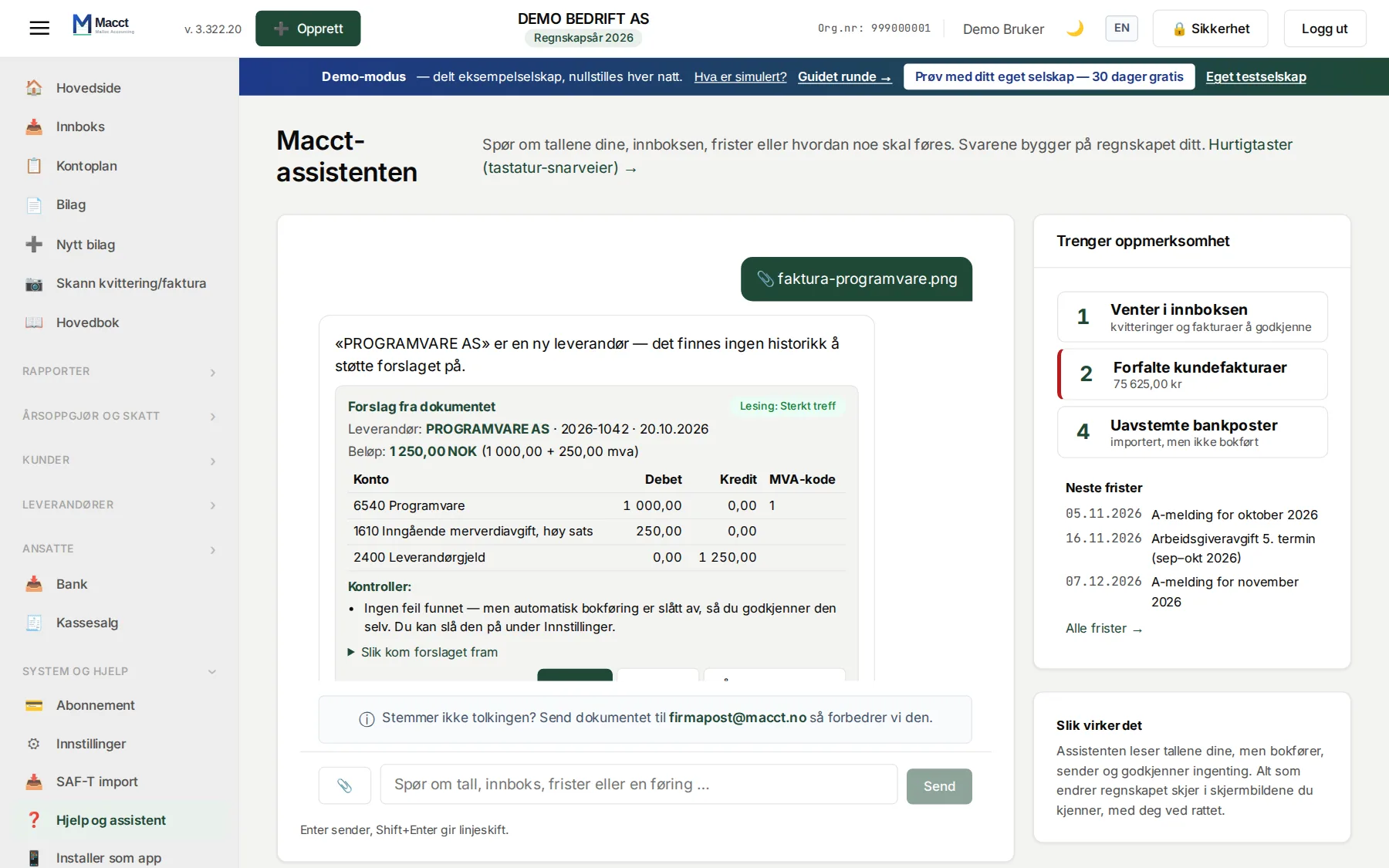
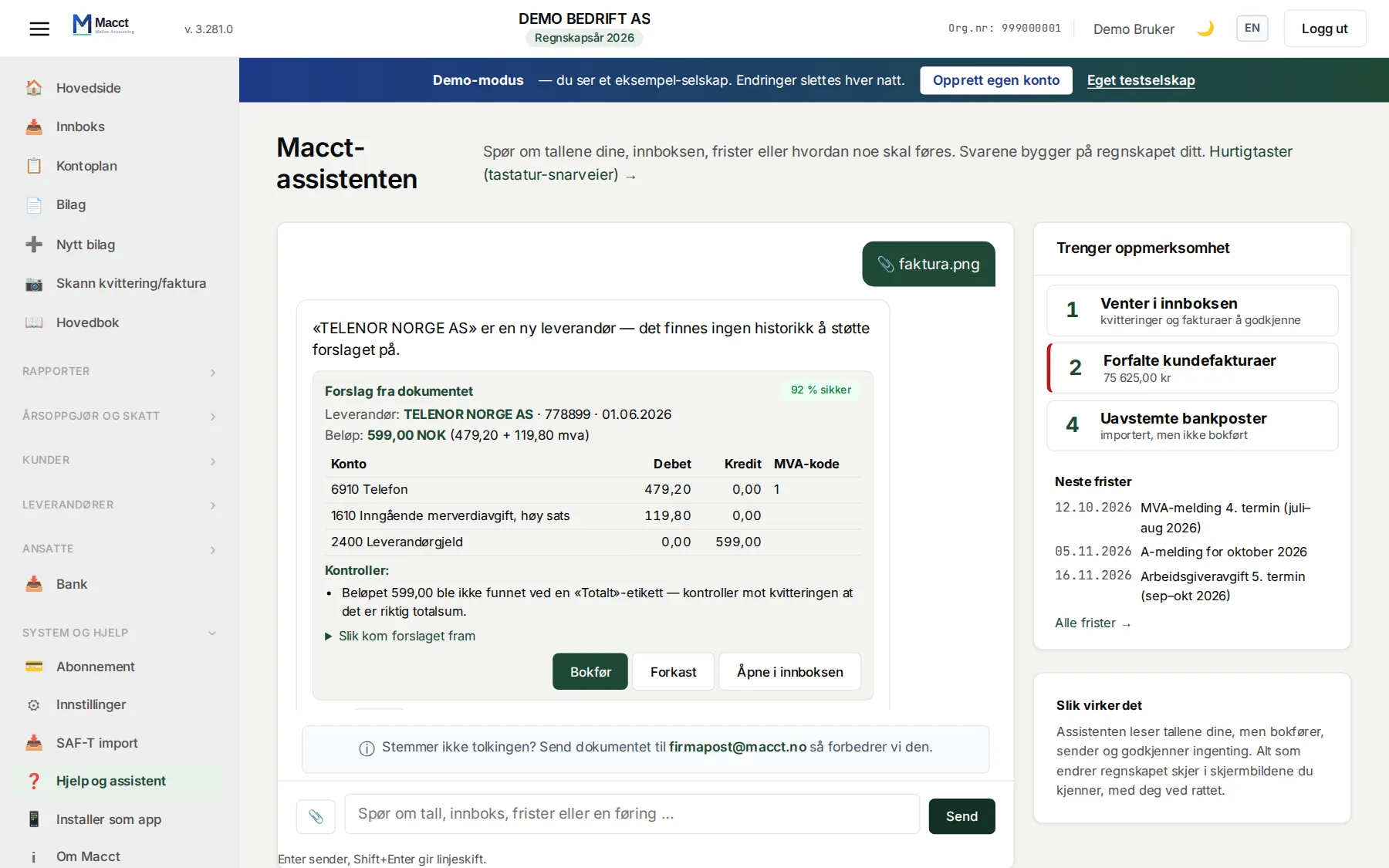
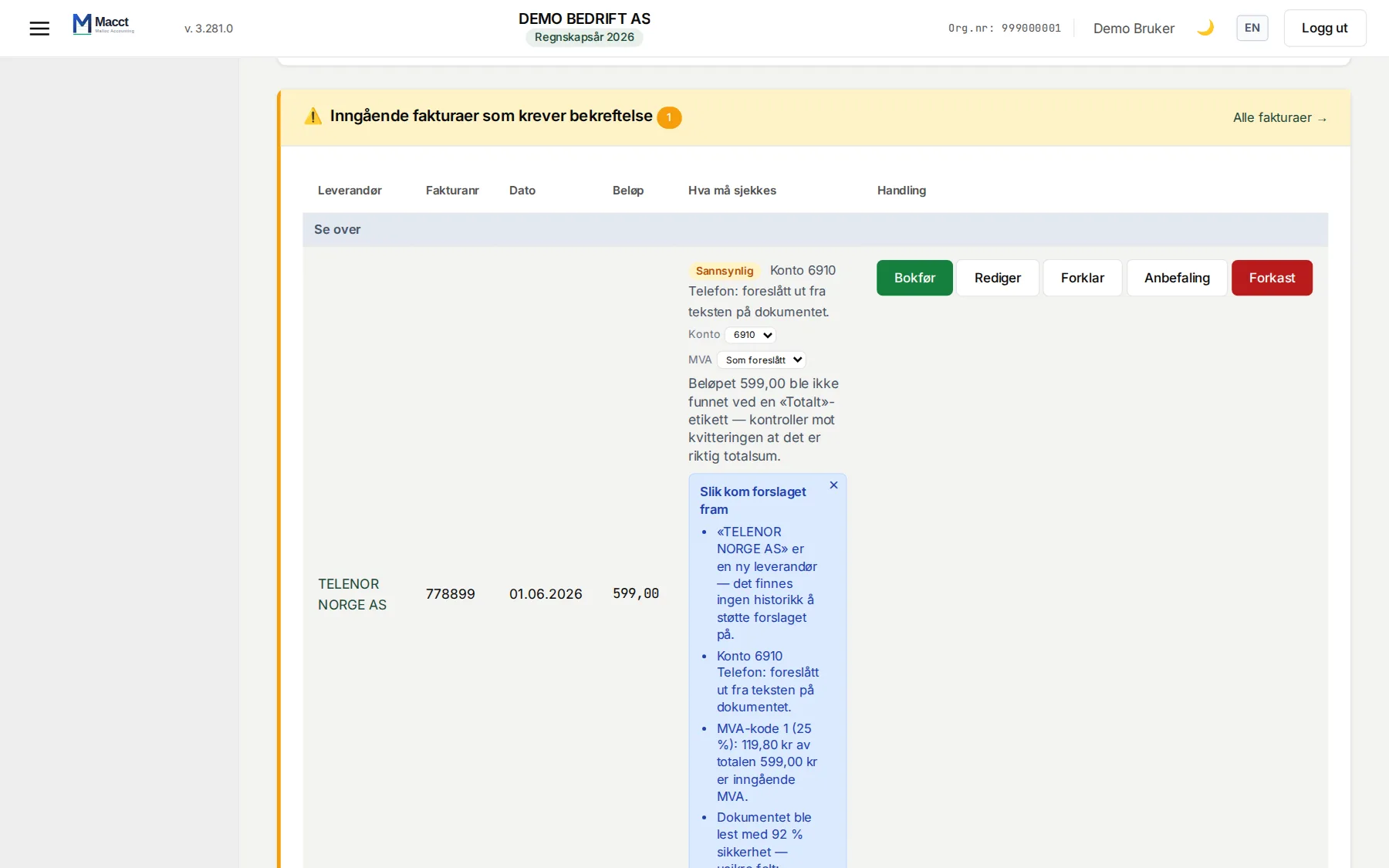
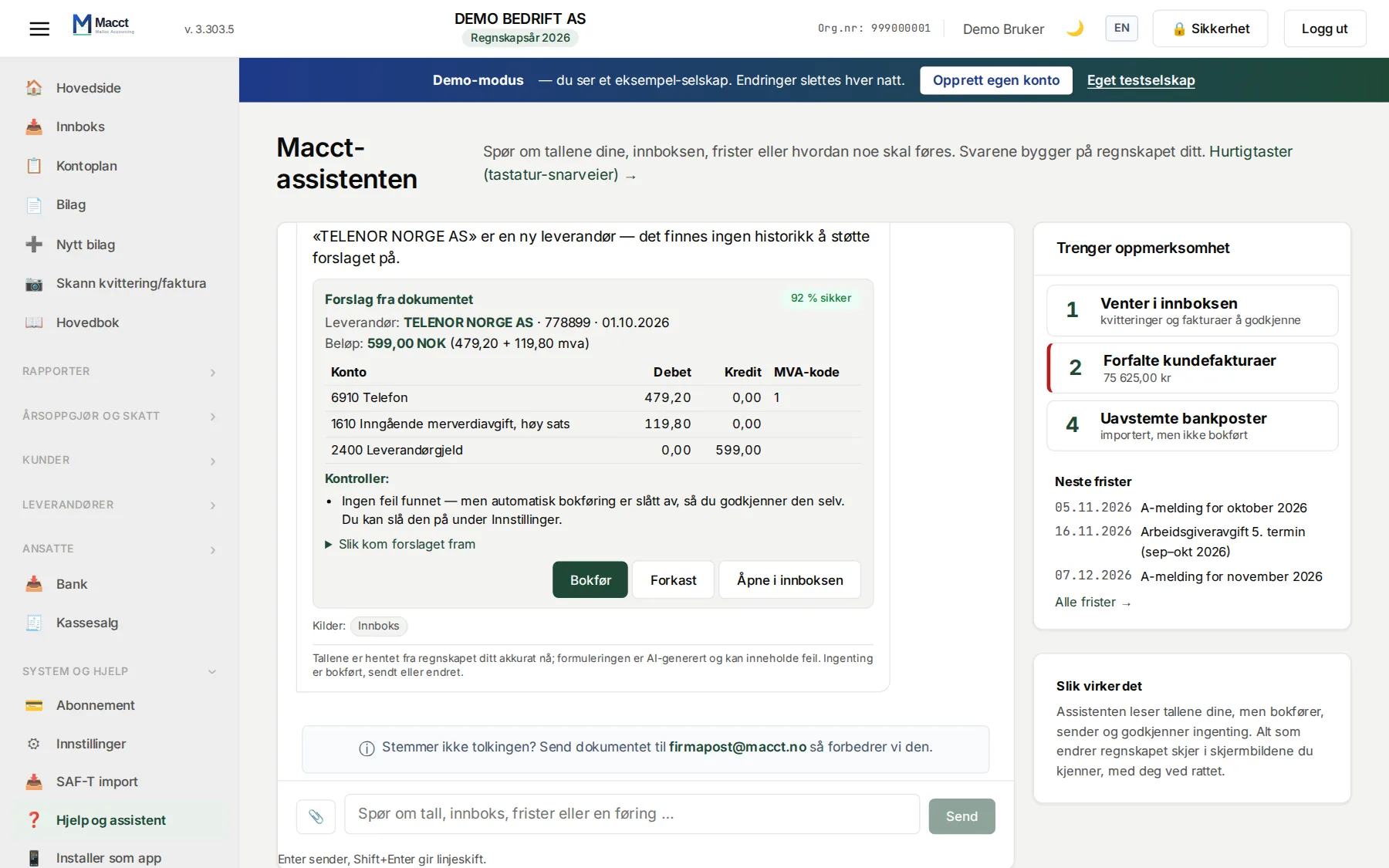
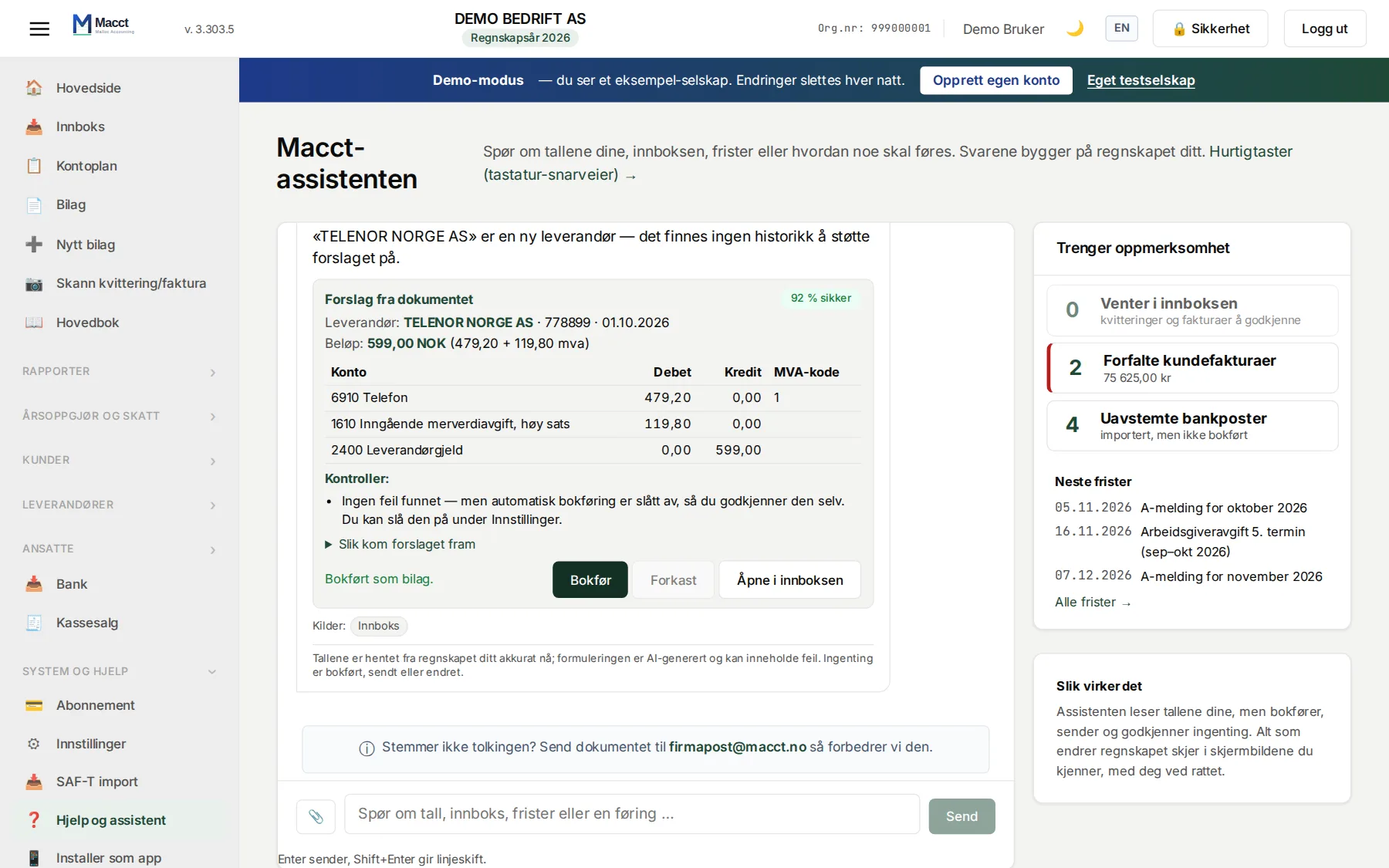
Macct answers from your actual books — how things are going, who owes you money, what you need to remember. And when a document comes in, Macct reads it, suggests the posting and explains why. You approve.
- Ask about your figures — the answer comes from your books, not from guessing.
- Drop in an invoice or receipt — Macct suggests account and VAT, and says what it is unsure about.
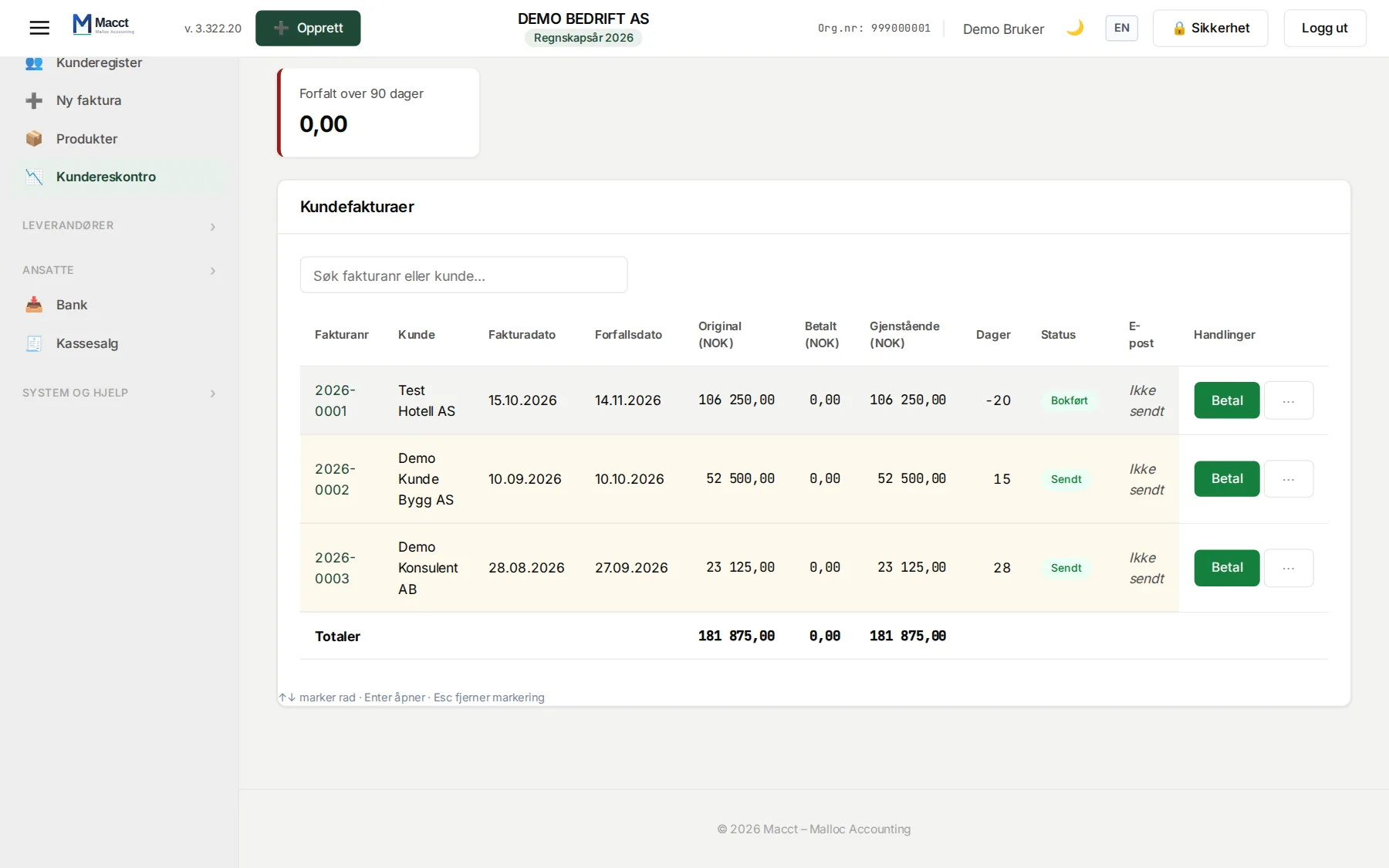
- Find what needs following up: overdue invoices, documents waiting, deadlines coming up.
- You approve before anything is posted, sent or changed — unless you turn on automatic posting in settings yourself.
Sound familiar?
- The shoebox of receipts.
- The VAT deadline you noticed the day after.
- The accountant who costs more than January's profit.
Macct exists because a small business should not need a finance department.
Five steps. One of them is yours.
From the document landing to the filing being delivered to the authorities.
This is your job
Check Approve
The rest is Macct's job.
Documents arrive in three ways:
- The supplier sends the invoice electronically — it is in Macct without anyone uploading anything
- Send them to your company's own email address
- Drag and drop a PDF, photo or screenshot
Invoices in USD, EUR, GBP, SEK and a dozen other currencies are converted to NOK at the Norges Bank rate — automatically.
If Macct can't parse a document correctly, send it to firmapost@macct.no and we'll improve the parsing.
Reports → Analysis
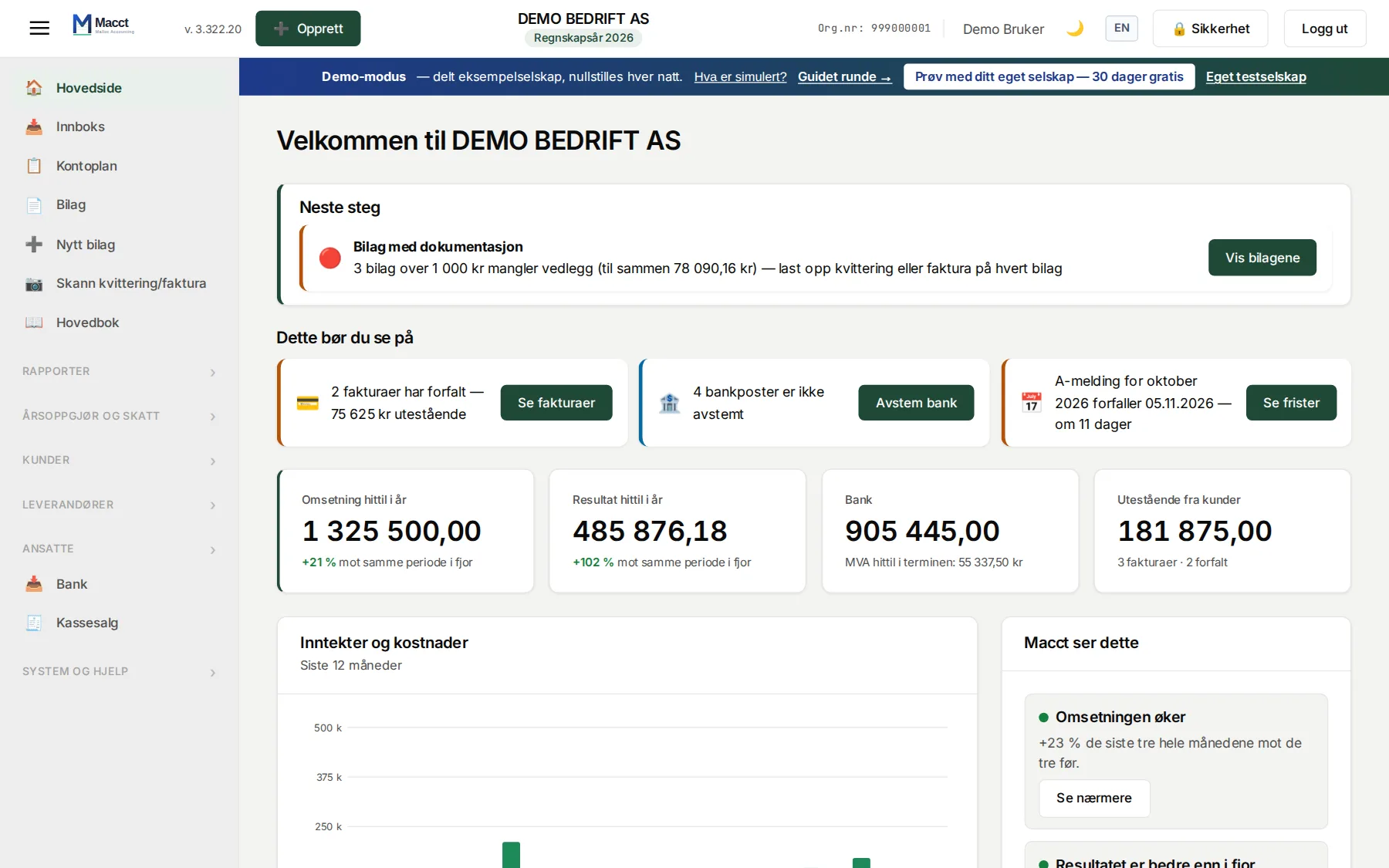
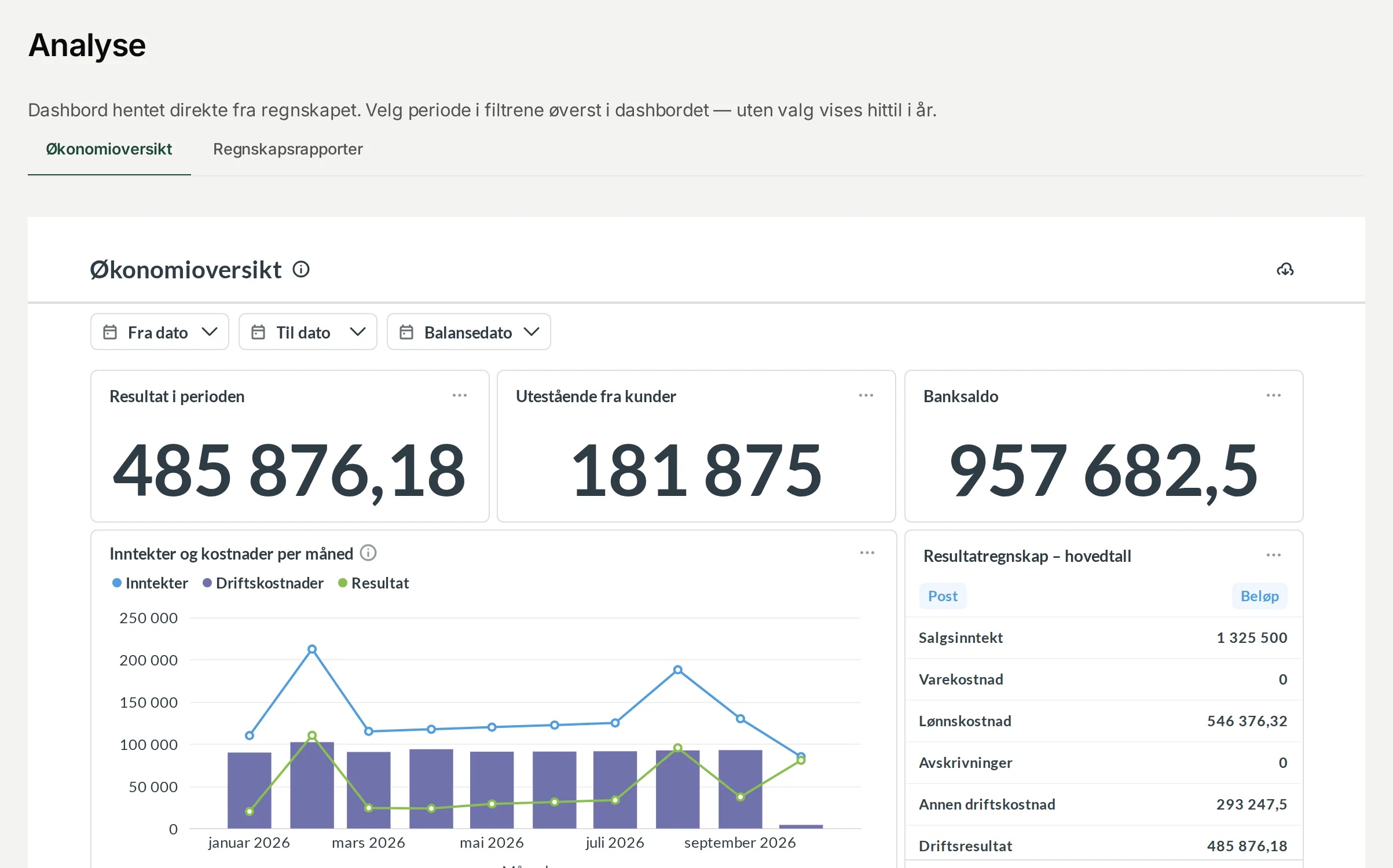
See how you are doing — month by month
Two dashboards inside Macct, built from the same vouchers as your accounts. No exports, no spreadsheets, nothing to set up.
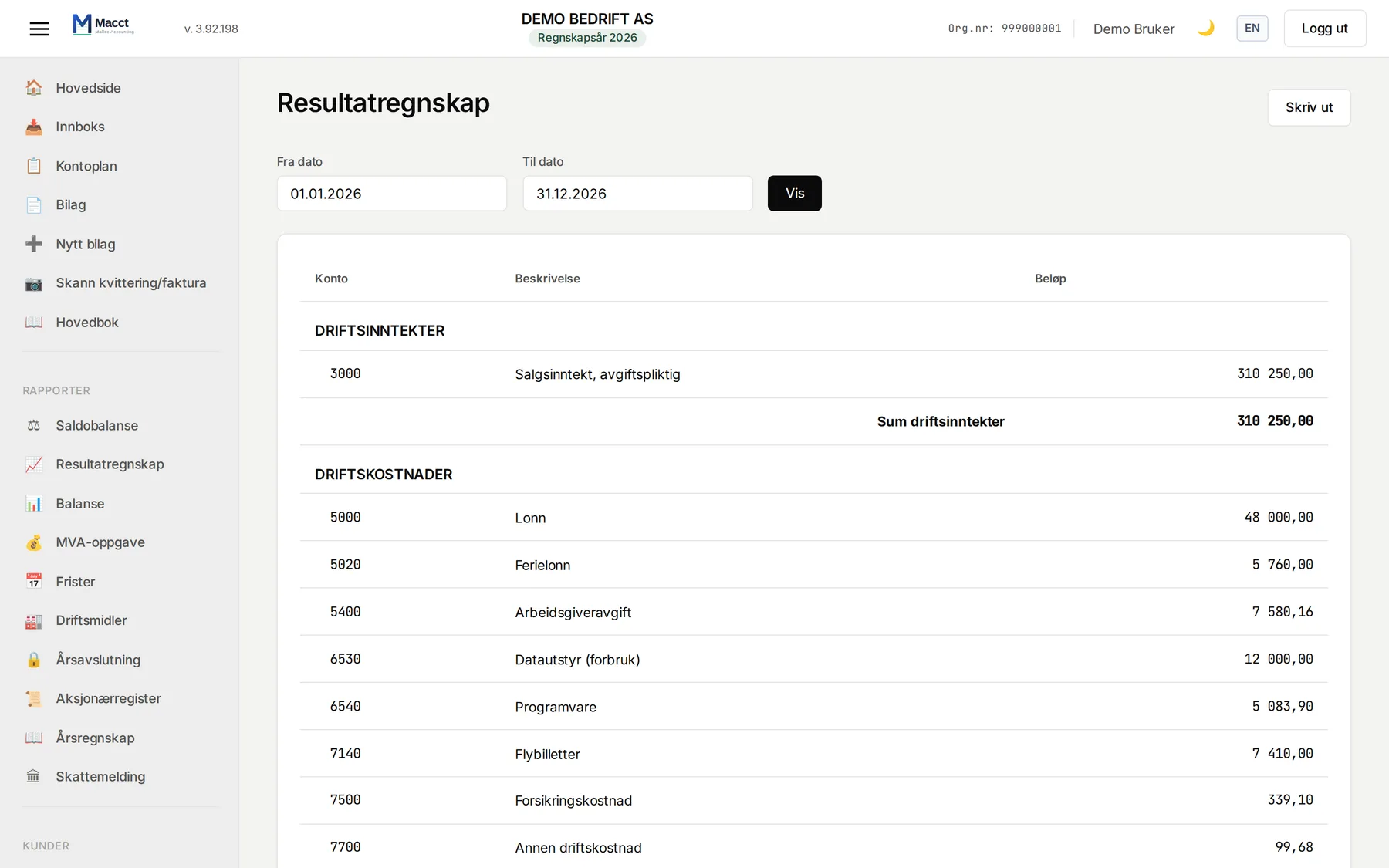
- Your result month by month, and the trend over the last twelve months
- Which costs are growing fastest against the same period last year
- Each quarter against the same quarter last year, and year against year
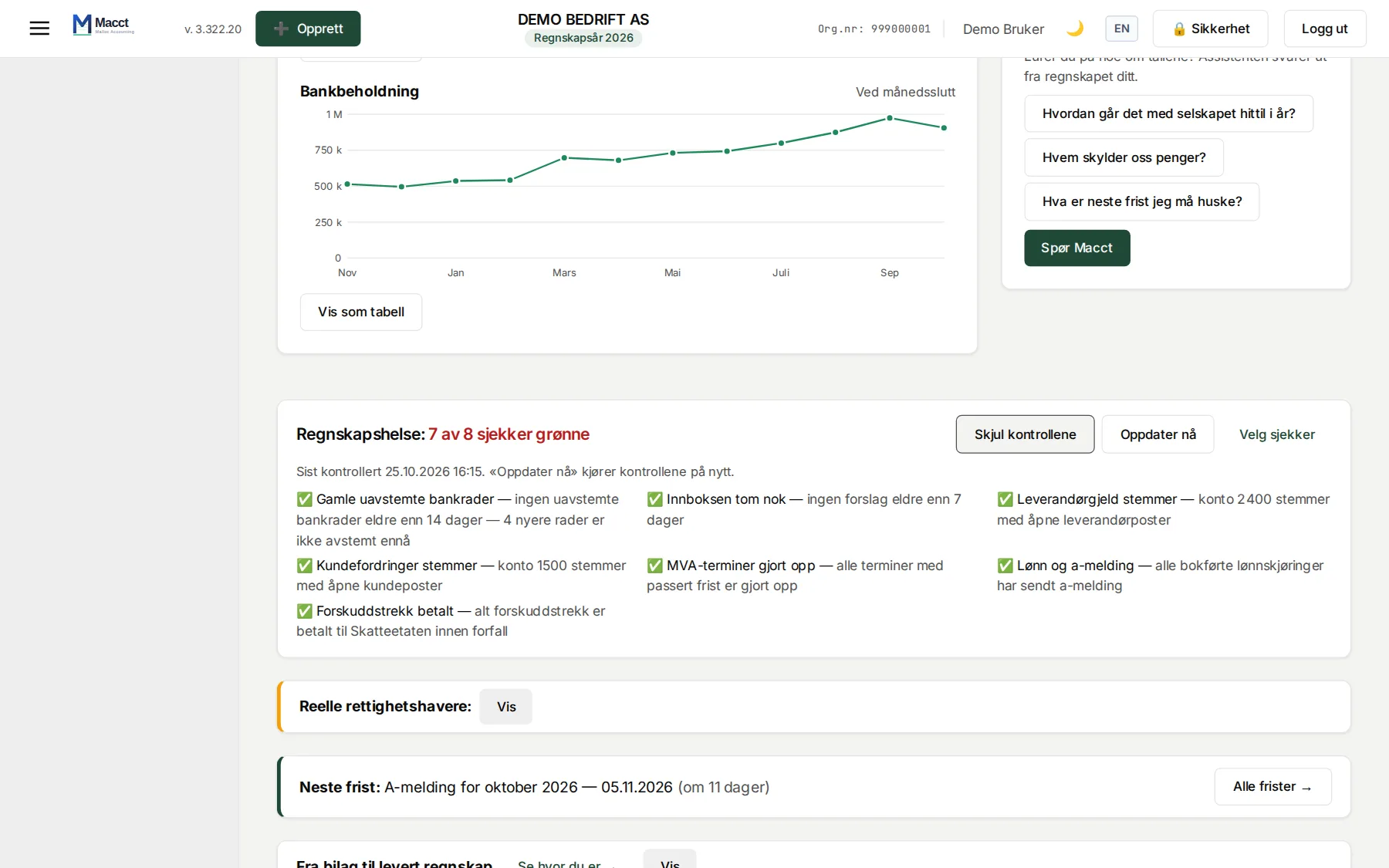
- Money in and out, and your bank balance at every month end
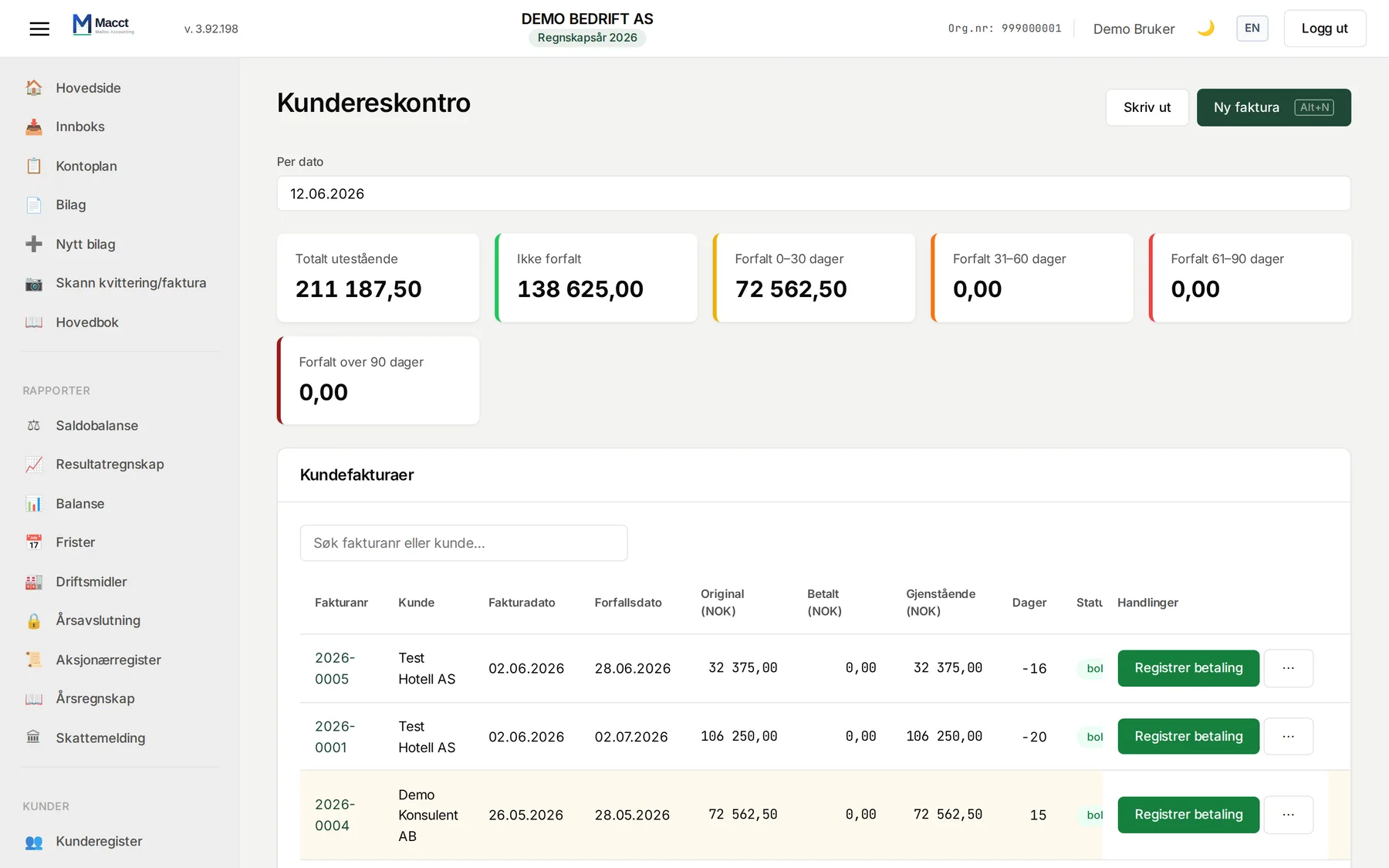
- VAT per term and who owes you money — and for how long
The same figures as your income statement and balance sheet — and only yours. Every company has its own read-only access in the database, so nobody can see anyone else's figures, not even through a mistake in a dashboard.
Electronic invoicing
Invoices go straight in and straight out
Macct is on the Peppol network, where Norwegian businesses and the public sector exchange invoices. A supplier invoice lands in Macct without anyone uploading a PDF, and the invoice you send arrives directly in your customer’s accounting system. No file to download, no figures to retype.
Included in the 250 kr monthly price: 5 invoices a month over Peppol at no extra cost. Any beyond that are sent by email - except to businesses that can receive electronic invoices: from 1 January 2027 they get them over Peppol at no extra cost. Receiving is unlimited, and there is no separate agreement to sign.
How Peppol works (in Norwegian) →Is Macct for you?
- Who owes you, whom you owe, and what you owe your employees — accounting calls it sub-ledgers, and Macct keeps them reconciled. What is a sub-ledger? →
- Holding company? Three filings a year, quiet the rest of the time. How Macct handles them →
- The shareholder register statement is due by 31 January. How to file it from Macct →
- Deadline 01.01.2027 From 1 January 2027, bookkeeping-obliged businesses must as a main rule send structured electronic invoices to other bookkeeping-obliged businesses that can receive them. The obligation to be able to receive electronic invoices applies from 1 January 2030. There are exceptions and transitional rules. Macct supports sending and receiving via Peppol/EHF, included in the price. Source: Act of 19 June 2026 no. 39.
- How Peppol and EHF work (in Norwegian) →
- Every night 02:15–05:05 While you sleep, Macct checks that what you owe and are owed matches the accounts, takes a backup and recalculates everything. Every night, without you having to ask.
These are the jobs the machine does
One price for all of your accounting. Use what you need, when you need it.
- Macct reads the documentsPDF, photo, EHF or email — supplier, date, amount and VAT are extracted from the document.
- Macct proposes the postingThe right account under the Norwegian standard chart of accounts, the right VAT code, converted to NOK. You approve.
- Macct handles invoicingInvoice as PDF or EHF file, with KID, an overview of who has paid, and reminders when someone does not.
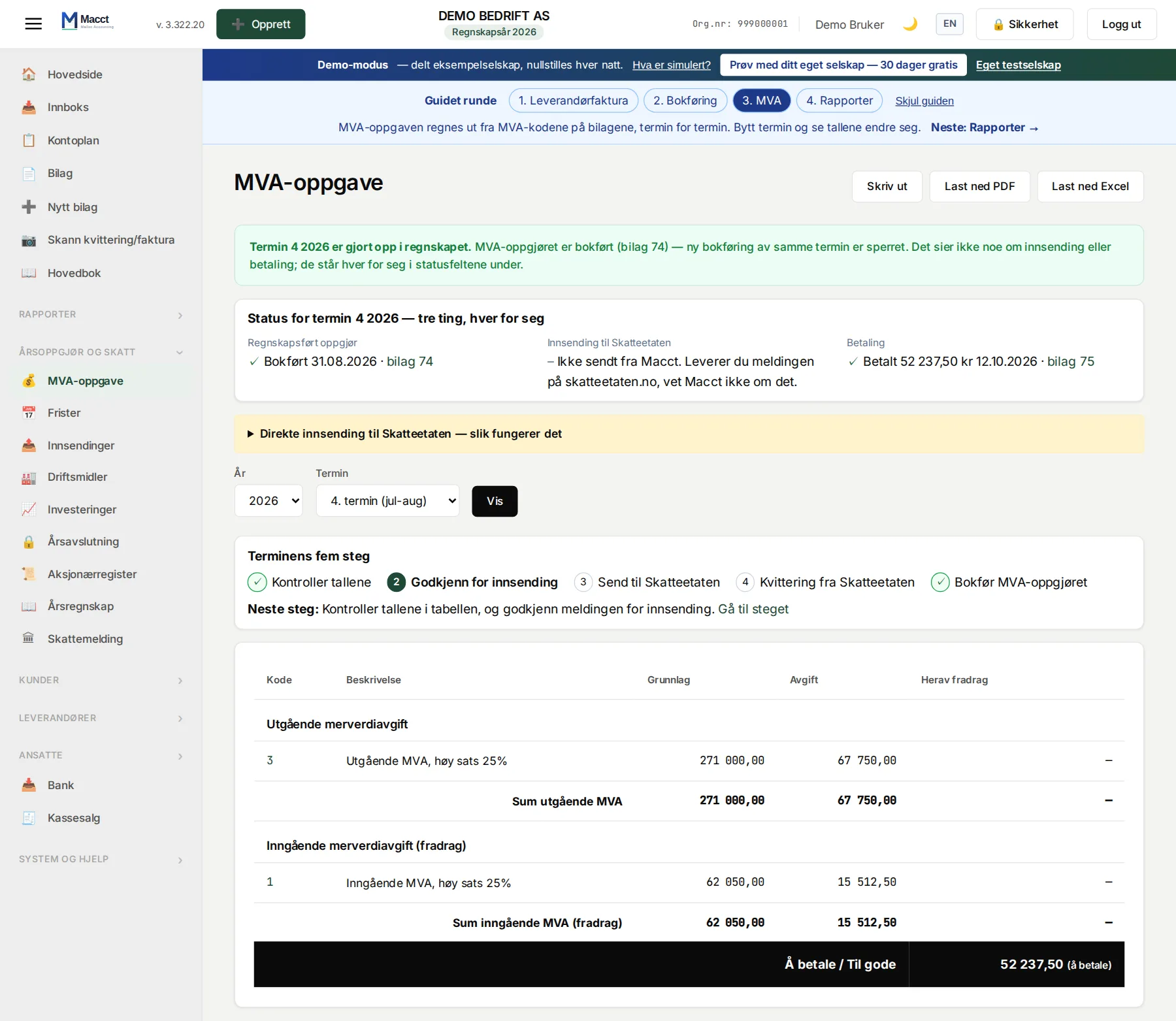
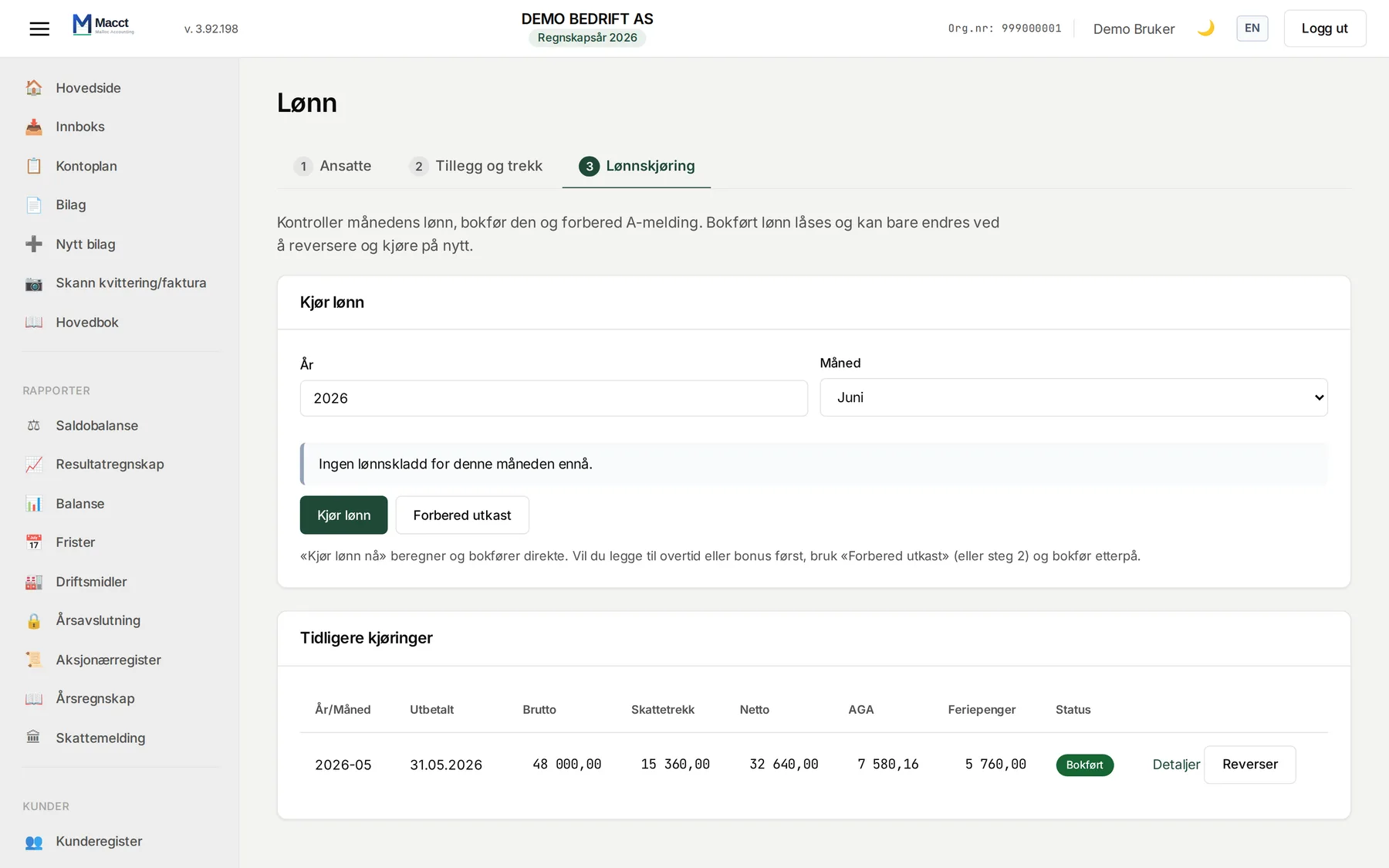
- Macct runs payrollTax withholding, employer's contribution and holiday pay calculated. A-melding ready for Altinn. Payment to the Tax Administration ready with KID.
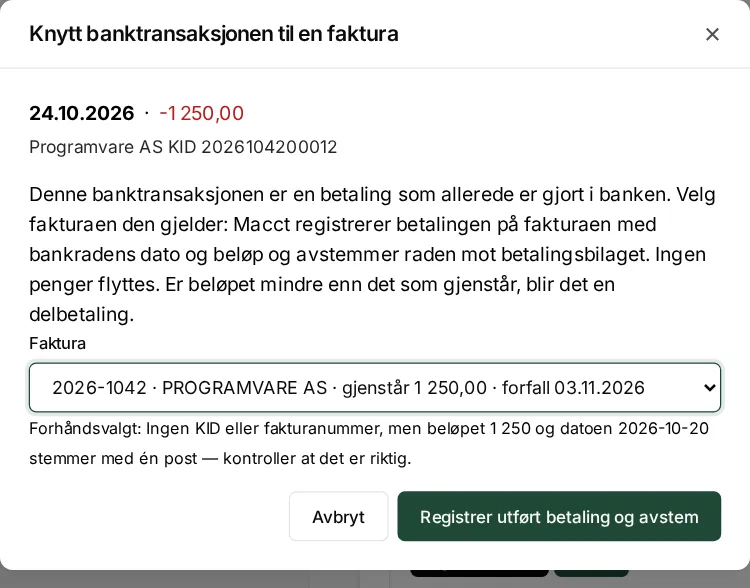
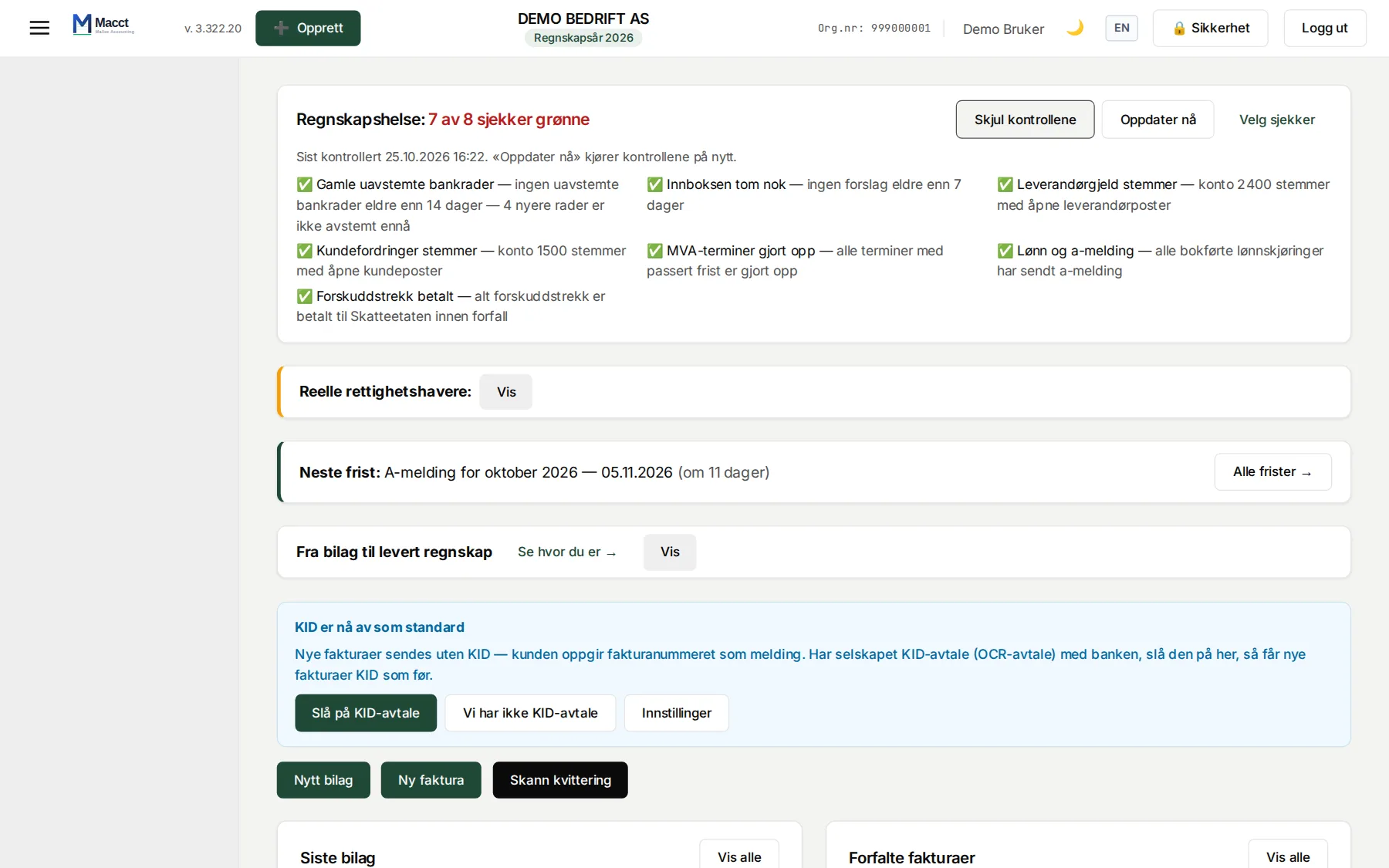
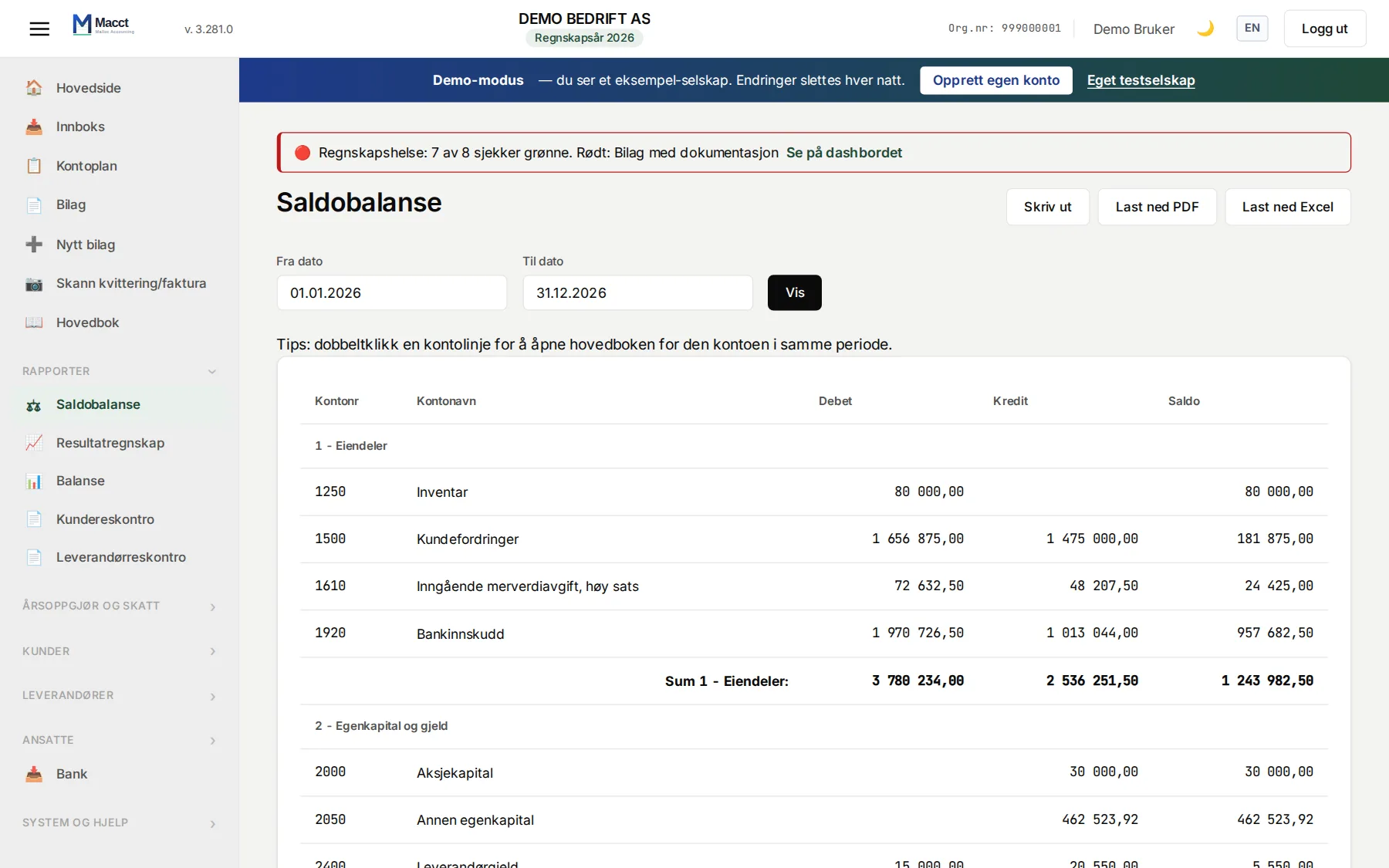
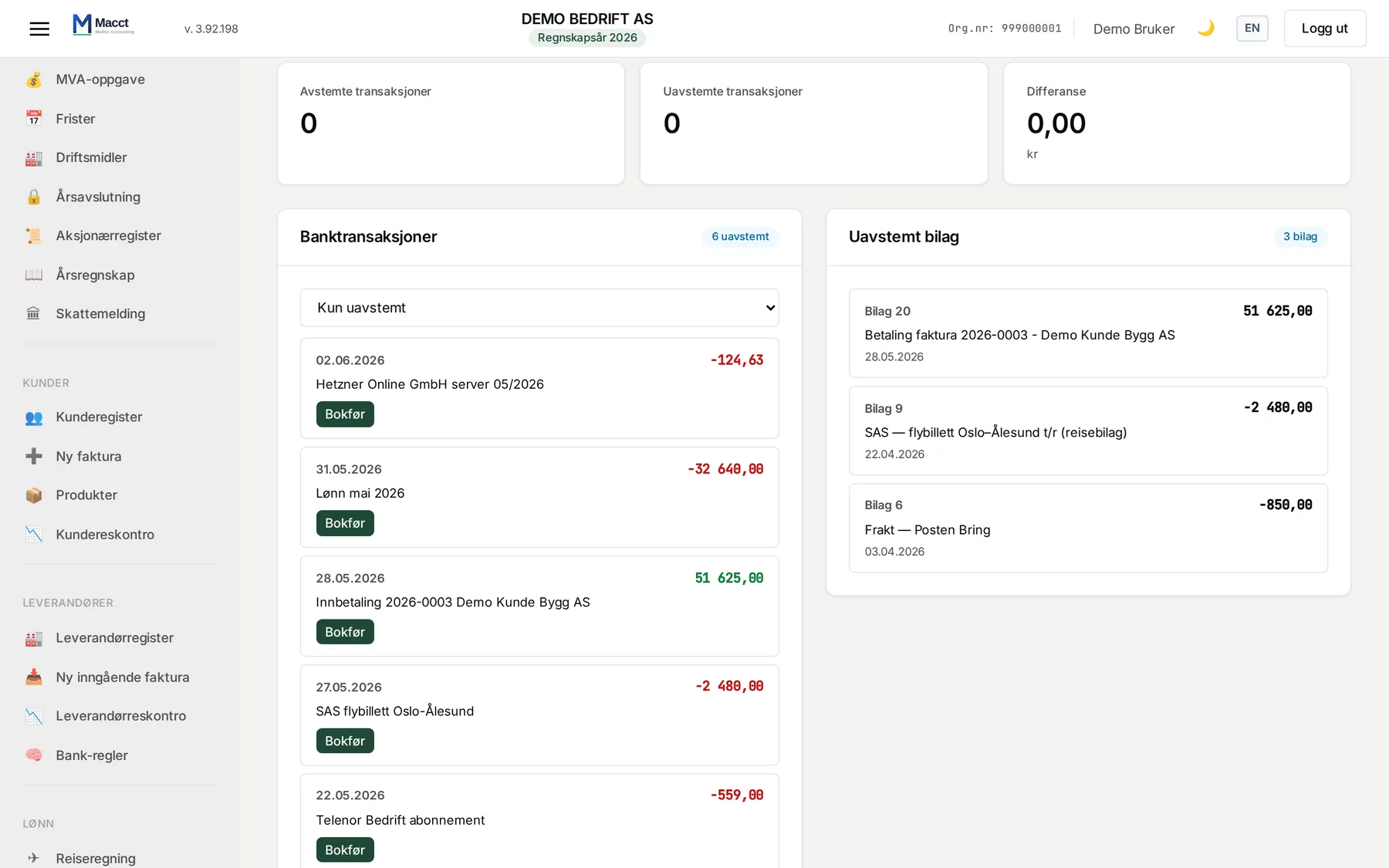
- Macct reconciles and verifiesBank against vouchers, customers and suppliers against the accounts, the VAT period against what is actually posted.
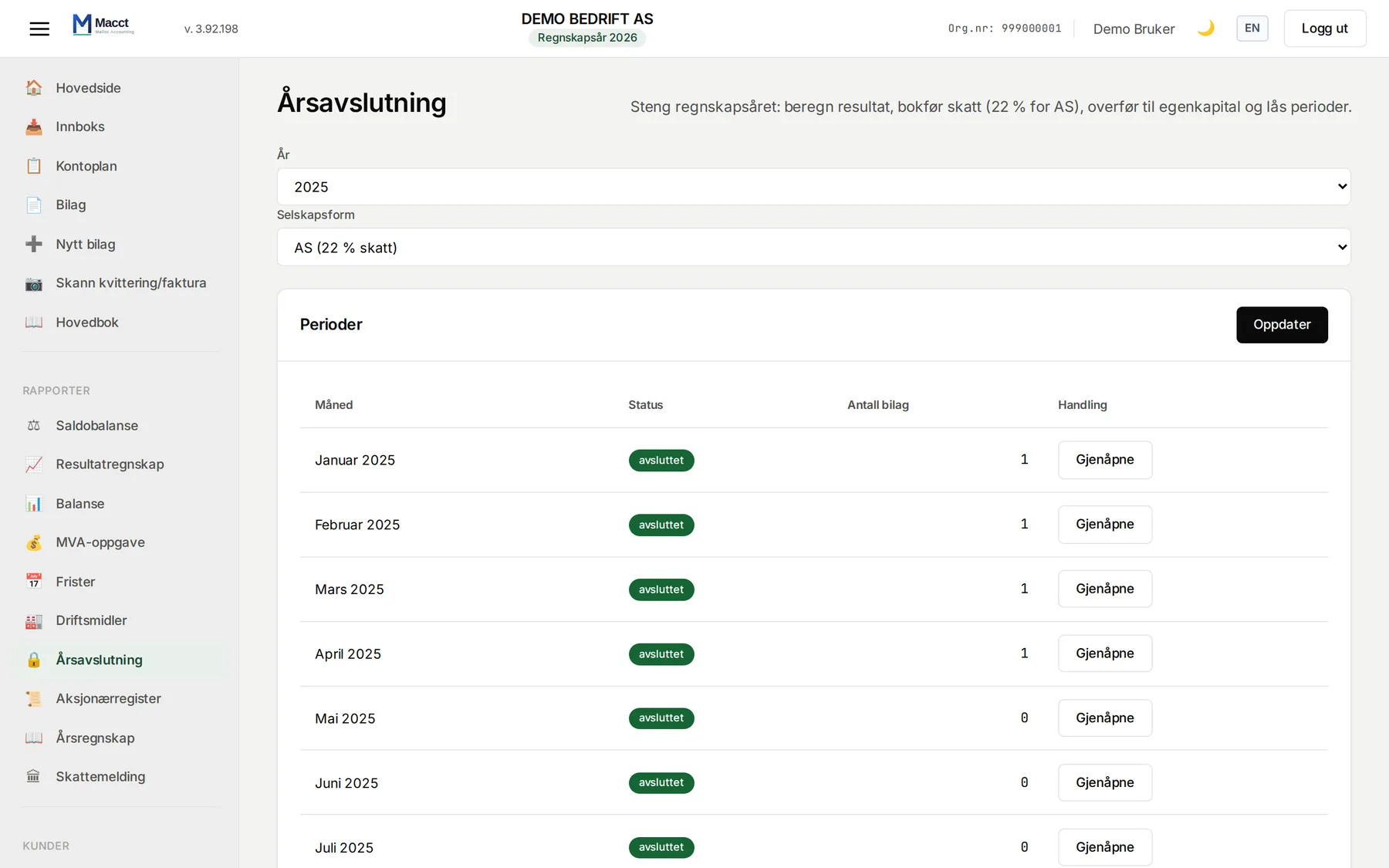
- Macct closes the yearDepreciation, tax, appropriation, locking the year and a new opening balance.
- Macct files with the authoritiesVAT return, tax return, annual accounts, tax deduction cards and the shareholder register statement go through Altinn and the Tax Administration automatically. The A-melding is sent to the Tax Administration after your confirmation, when the company is connected to Altinn.
See all features
Built for the small ones: sole proprietorships, small limited companies and consultants doing their own books — and accounting firms keeping books for several.
One price for your accounting.
Extend it yourself with Vipps or invoice, or pay by card or Klarna and let the subscription renew every month. We never send an invoice you did not ask for.
NOK 250 per month per company. No VAT on top – Malloc AS is not registered in the Norwegian VAT Register.
- 30-day free trial
- All of your accounting in the same price — no editions
- Extend it yourself, or let card or Klarna renew every month
- No lock-in — cancel any time
- Ordinary bank import included
- Switching from Fiken, Conta, Tripletex or Visma? Import your SAF-T export
- Data stored in the EU/EEA
- Pay by card or Klarna, Vipps or invoice from Malloc AS · How card payment works
NOK 250 per month. No bundles. No lock-in.
You do not need an accountant.
An accountant for a small AS typically costs NOK 30,000 a year or more. Macct costs NOK 3,000, and you see the numbers yourself.
If you get stuck, we answer e-mail the same day, and the help inside the system explains every entry. If you still want a professional to look in, an accountant or auditor can be given read access.
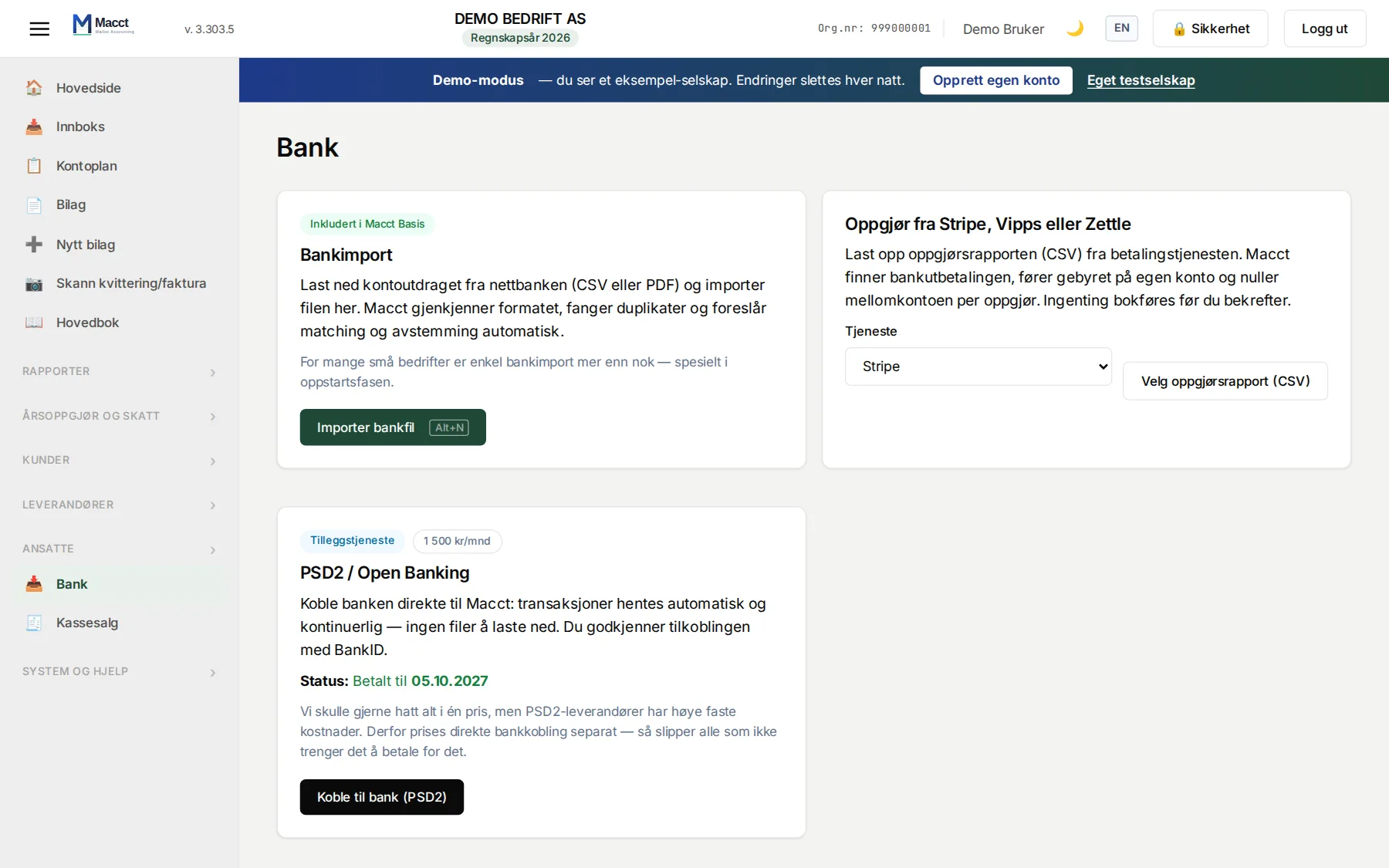
The only add-on: a direct bank connection (PSD2/Open Banking) at NOK 500/month — not open for ordering yet. Ordinary bank import is included.
Integrated with public Norway
- Active Altinn / Skatteetaten Tax cards, VAT returns, tax returns, the shareholder register statement and annual accounts, filed automatically via Altinn. You approve with BankID. The A-melding is sent to the Tax Administration after your confirmation, when the company is connected to Altinn.
- Active Brønnøysund Register Centre Company details and roles are fetched and validated automatically at registration.
- Active Electronic invoicing (Peppol) Send and receive EHF via Peppol, included in the price: 5 invoices out a month, unlimited in. How it works (in Norwegian) →
- Active Cash register, POS and web shop Sales in as a CSV file or through the API, checked for VAT and totals and posted without duplicates.
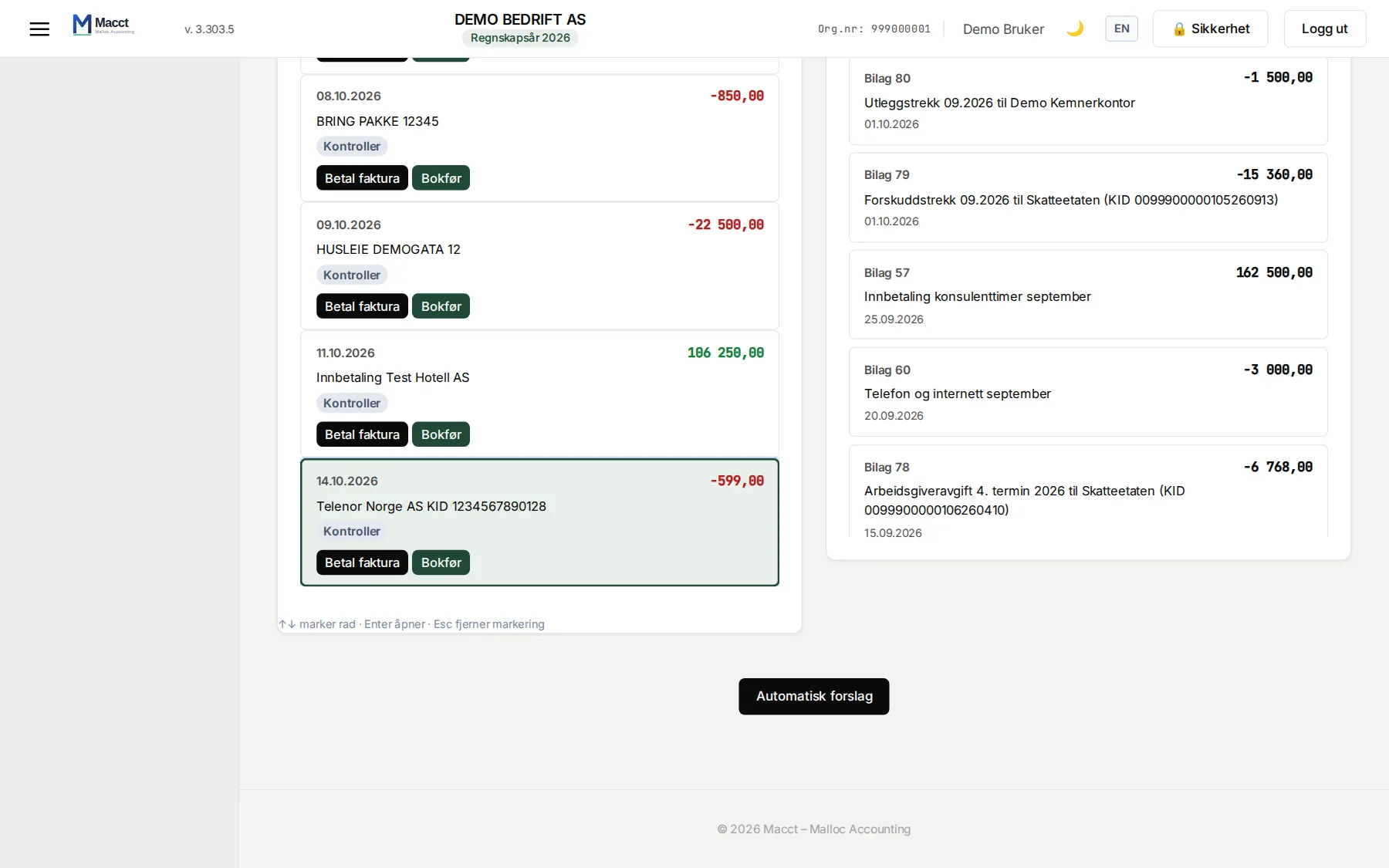
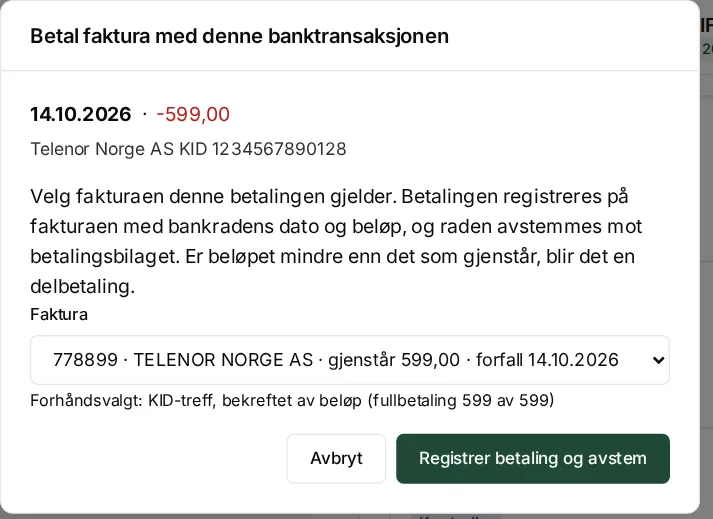
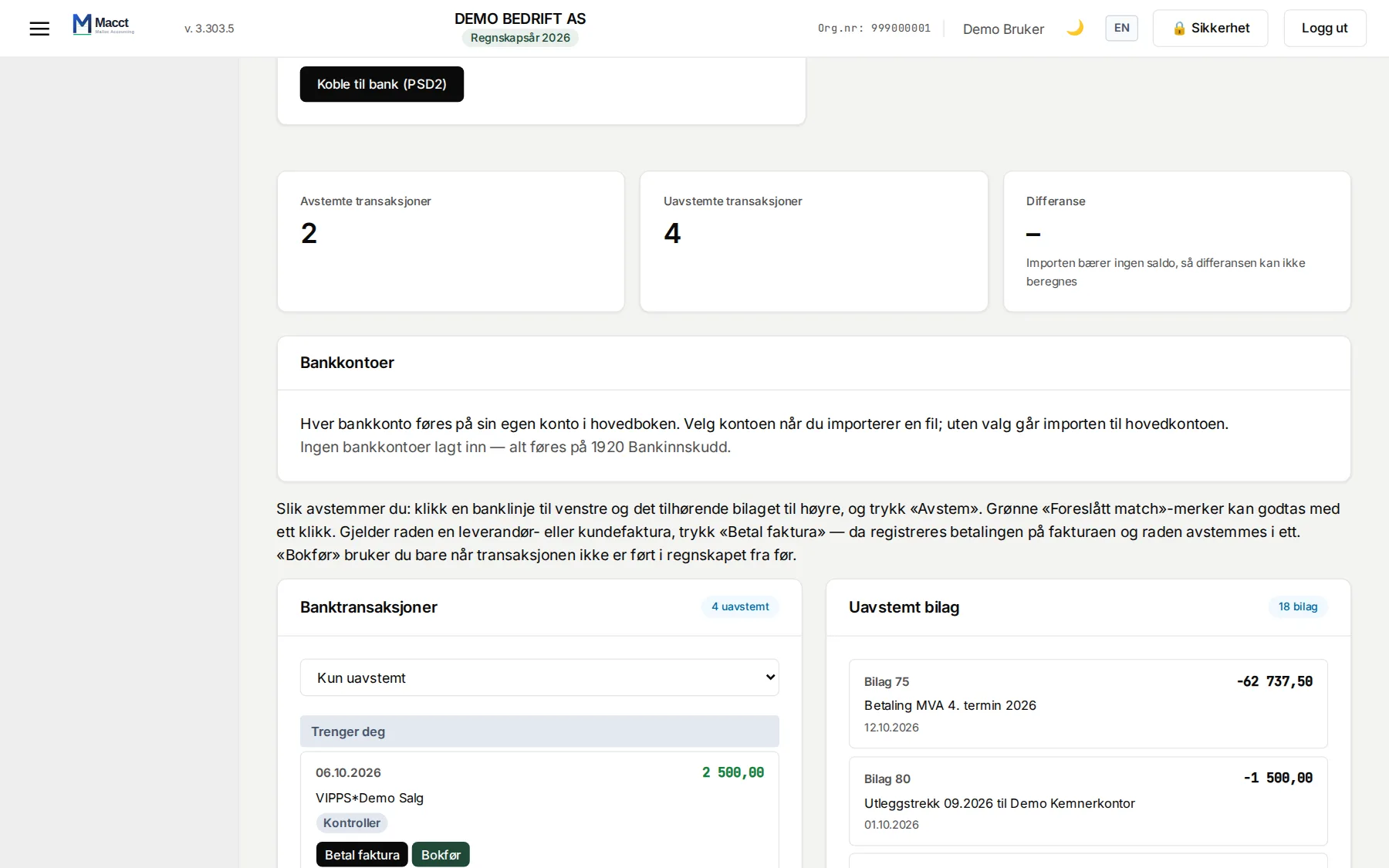
- Active Bank The bank statement from your online bank is matched and reconciled automatically, included in the price.
The Tax Administration is who we talk to most. Not because we have to, but because every conversation is a job you skip. Tax cards are fetched by machine for every employee. The a-melding goes to the Tax Administration once you have approved it, when the company is connected to Altinn, and the feedback comes back into Macct with the calculated withholding tax and employer's contributions, KID and due date. The payment is ready with the Tax Administration's account number and a KID built the way they specify, and the bank row is reconciled in one click when it shows up. The tax return with the business specification, the VAT return, the shareholder register statement and the annual accounts to the Register of Company Accounts go the same way via Altinn, with your BankID before anything is sent.
And the conversation goes both ways: Macct fetches the company's open claims from the Norwegian Tax Administration — withholding tax, employer contributions, VAT, advance tax and residual tax — with due dates, estimated interest and what remains, straight from the Tax Administration's own accounts. You see what they see, instead of waiting for a letter.
API and MCP — connect from claude.ai
Connect Claude to your accounts — straight from claude.ai
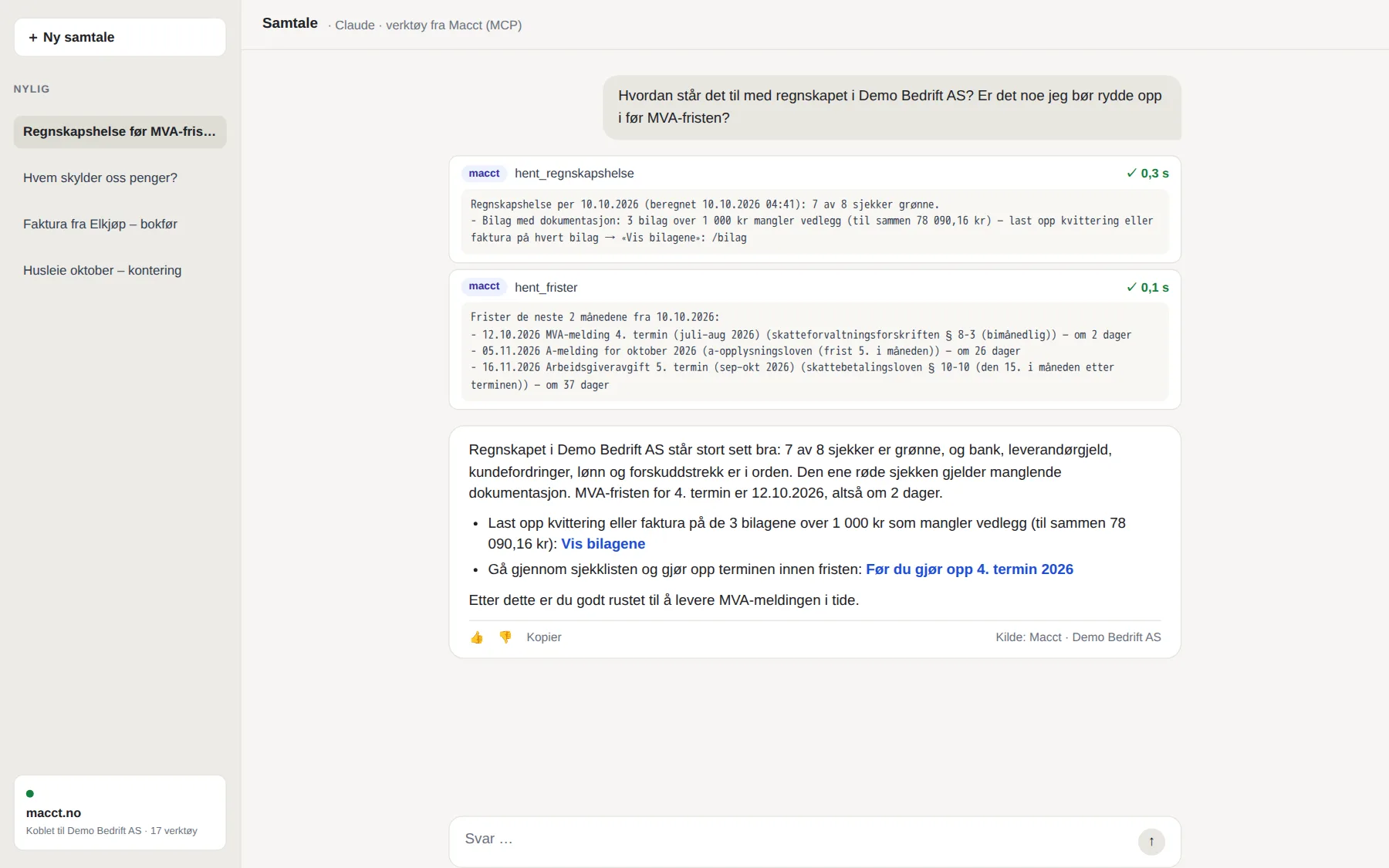
Add Macct as a connector in claude.ai, Claude Desktop or the mobile app, sign in to Macct and choose whether Claude may read or also post. No token to paste. Your own scripts and integrations get an open, documented REST API — under the same rules as the app.
How to connect →How Macct is built
Humans decide what.
AI builds how.
Macct is built by Malloc AS, with long experience in software development and AI as a development tool. People decide the features, the accounting rules and what is good enough. AI writes much of the code and the tests.
Which features get built, which requirements of the Norwegian Bookkeeping and Accounting Acts they have to meet, and what is good enough to be let near a set of books. The responsibility sits here.
The programming itself: the code that carries out the requirements, and the tests that keep it in check. A tool in the hands of the people who build Macct — not a decision-maker.
That does not mean less control. It means more testing — and faster improvements.
- Over 6,100 automated tests run on every single change — checking that entries balance, that VAT is calculated correctly, and that payroll and year-end closing give the same answer every time.
- Everything is tested before production. Each change is built and tried in a separate test environment first.
- A human approves. No change reaches your books until a person has read it through and said yes.
This is how Macct is built — the system that has already filed tax returns and annual accounts through Altinn.
AI writes the code. People carry the responsibility.
Something wrong? Tell us — we change things quickly.
A receipt read incorrectly, a bank file format we cannot open, wording that misleads, or a feature you are missing. Send it over and we will look at it.
Write to firmapost@macct.no — attach the document or a screenshot if you can.
Small things are often fixed the same day. If it is bigger, you get an answer on what we will do and when. Either way, every change goes through the tests and a human approval before it reaches your accounts.
Norwegian accounting. Norwegian rules. Norwegian data.
Norwegian accounting rules are not in a manual — they are checked into every voucher. The Bookkeeping Act, the Accounting Act and the VAT Act, with the Norwegian standard chart of accounts. See which rules Macct enforces →
Every change to Macct is tested in a separate test environment against a scrubbed copy before it goes live, and normally a human approves each change — the exceptions are on the page. How Macct changes →
Want to see the proof? Why Macct Does Macct meet the legal requirements? Altinn and Maskinporten Rules The machine
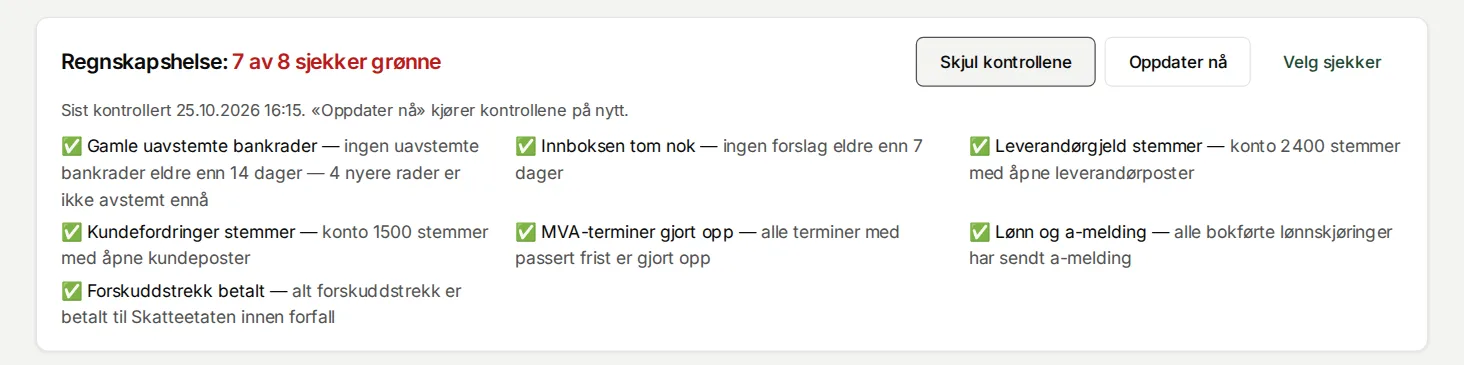
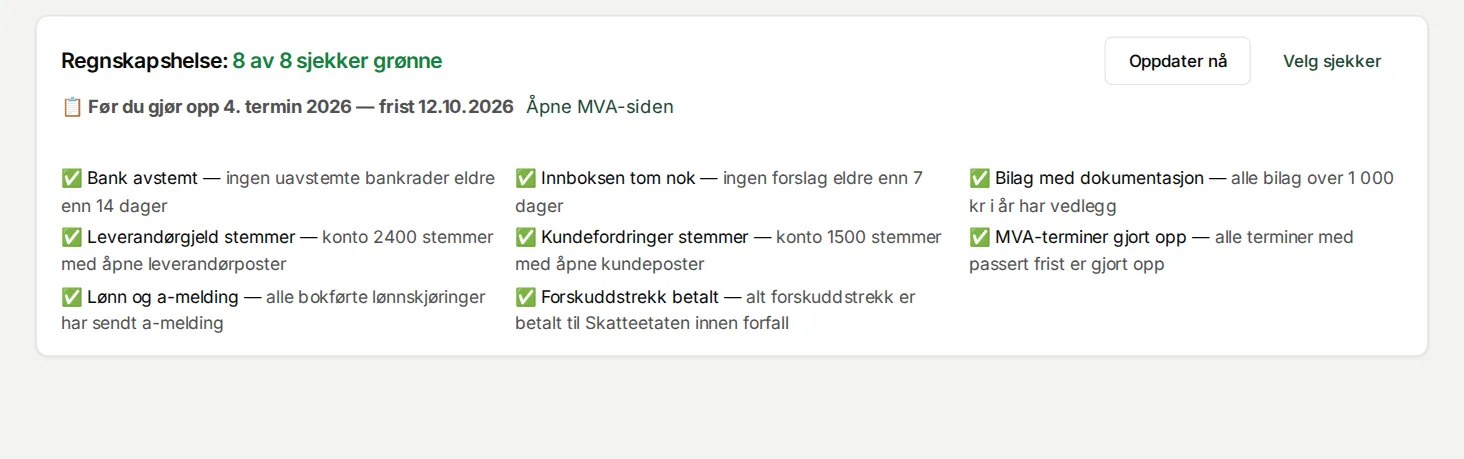
Every night Macct checks your accounts
While you sleep, Macct runs fixed checks and tells you if something is off:
- 02:15 checks that what you owe and are owed matches the accounts
- 03:30 backs everything up, with a copy in a second data centre
- 04:50 recalculates every report from the vouchers
- 05:05 looks for numbers that do not add up, before you notice them missing
Times are Norwegian time. See everything the machine does at night →
You do not need to know accounting to use Macct — the machine suggests the posting. But if you want to check, Bilagsmesteren takes you through ten everyday questions in a couple of minutes. Free, no sign-in.
Frequently asked questions
Short answers. For deeper explanations, see About Macct and Rules.
Is Macct a complete accounting system?
Yes, for small businesses. You get bookkeeping, invoicing, VAT, payroll, bank import, currency handling and generation of the tax return and annual accounts — everything a typical ENK or small AS needs. For limited companies, the tax return, annual accounts and VAT return are submitted directly to the Tax Administration and Altinn from Macct, machine-to-machine; tax deduction cards and the shareholder register statement are filed the same way, and the A-melding is built for the same path. You connect the company to Altinn with BankID once. For sole proprietorships the tax return is prepared in Macct but not yet filed automatically. If you run something resembling a group or have special industry requirements, Macct is probably too simple. We are honest about that on the About page.
How secure is it for a small Norwegian business?
Your accounts are stored in the EU/EEA, in Hetzner data centres in Finland and Germany, and backed up every night with a copy in a second data centre. Only users you have invited yourself can log in to your company. You can take everything with you at any time as SAF-T (the Tax Administration standard format), Excel and PDF. Posted vouchers cannot be changed quietly — every correction is logged. We have no external security certification (ISO/SOC), so if you are listed or have sector compliance requirements, Macct is probably not the right choice. The technical list is in the rules overview.
Can I move my books from Fiken, Conta, Tripletex or Visma?
Yes. Export your books as a SAF-T file from the old system (every Norwegian system can) and upload the file under SAF-T import in Macct. You get a suggested account mapping and a dry run before anything is posted. Chart of accounts, customers, suppliers and vouchers come along. See also Macct as an alternative to Fiken and the accounting software comparison.
Can I send and receive invoices electronically?
Yes. Macct is on the Peppol network, which is how Norwegian businesses and the public sector exchange invoices. You create the invoice as usual and press send; if the customer can receive it electronically, it goes straight into their system. Supplier invoices arrive the same way and land in your inbox for approval. 5 invoices a month go out over Peppol at no extra cost. Any beyond that are sent by email - except to businesses that can receive electronic invoices: from 1 January 2027 they get them over Peppol at no extra cost. You see which way the invoice goes before you send. Receiving is unlimited, and there is no agreement to sign — how it works.
What happens to my data if I leave?
You can export everything as SAF-T (the Tax Administration standard format), Excel and PDF at any time. Your accounts are not deleted automatically when the subscription expires — they stay put, and you can log in and retrieve them. The Bookkeeping Act requires 5 years of retention — that responsibility is yours, so download the export when you stop.
How does the pricing work in practice?
NOK 250 per month, per company. You choose how to pay: with card or Klarna the amount is charged every month and the subscription renews automatically until you cancel - the cancellation takes effect at the end of the period you have paid for. With Vipps or an invoice from Malloc AS you extend it yourself, 1-12 months at a time, and nothing is charged automatically. No lock-in. If you extend while the subscription is running, the new months count from the date it would otherwise have expired; if it has already expired, they count from today - you never pay for the time it was closed. If the subscription expires, your accounts stay put; filing to Altinn and the Tax Administration is closed until you extend, while export is always open.
NOK 250 per month per company. No VAT on top – Malloc AS is not registered in the Norwegian VAT Register.
Can my auditor get access for a review?
Yes. You can invite an auditor as a read-only user. SAF-T export and detailed audit logs give an auditor everything they need for a review. We also publish a rules overview documenting which laws and standards the system enforces.
Who's behind Macct?
Macct is built and operated by Malloc AS (Norwegian company registration 981 893 557). We use AI tools in the code and in e-mail support, following the same principle as the rest of Macct: AI suggests, a human approves. We keep our own books in Macct, so errors hit us first. E-mail is answered the same day.
It is also why the price can be flat with no lock-in: you can cancel at any time, and filing to Altinn and the Tax Administration is included to the extent it is in production — with no separate price per filing.
Zero risk
Start the machine. It is waiting for the first document.
30 days free. No credit card. No lock-in — cancel anytime.
Start free 30-day trial