How it works
- Register the firm as a regular Macct customer and enable firm mode yourself under Settings → Accounting firm. The firm is its own company in Macct with its own accounts, and the person who enables it becomes the firm administrator.
- Add client companies. Enter the organisation number — Macct fetches and validates the company against the Brønnøysund Register Centre and connects it to the firm. Existing Macct customers connect themselves to the firm from their own settings (consent always rests with the client).
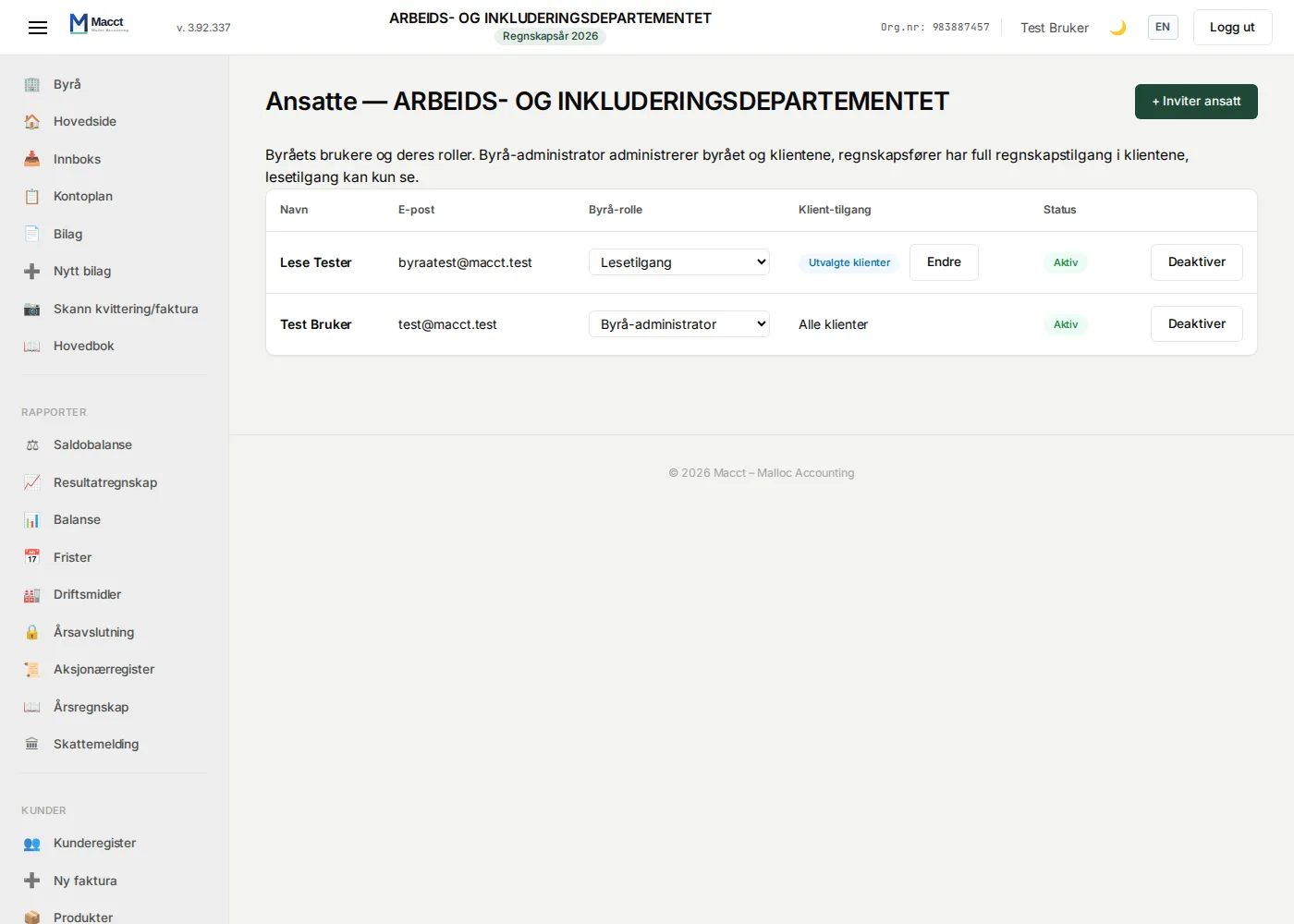
- Assign clients and roles. Invite employees by email and give them the role of firm administrator, accountant or read-only. Set the responsible accountant per client and filter on "my clients".
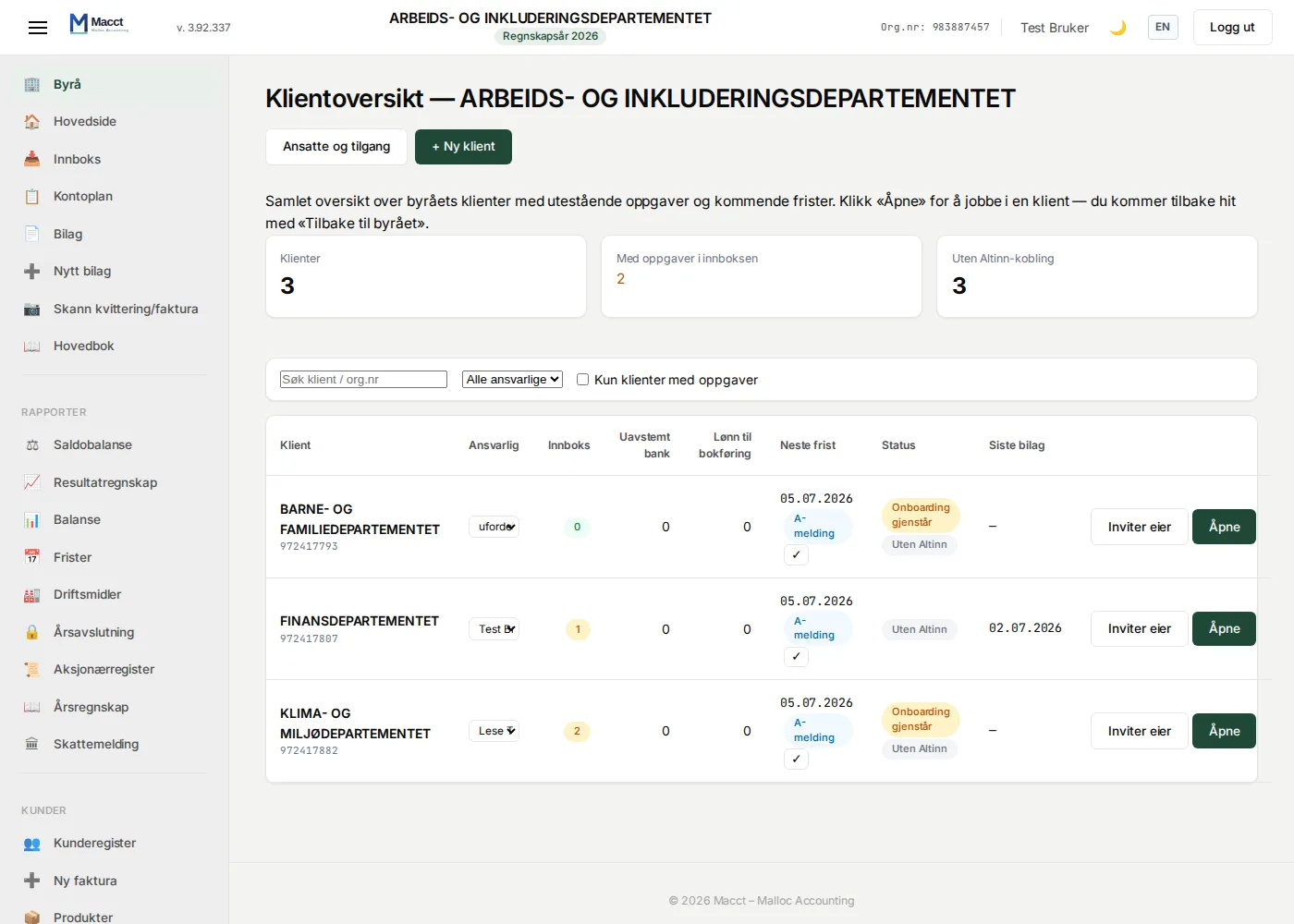
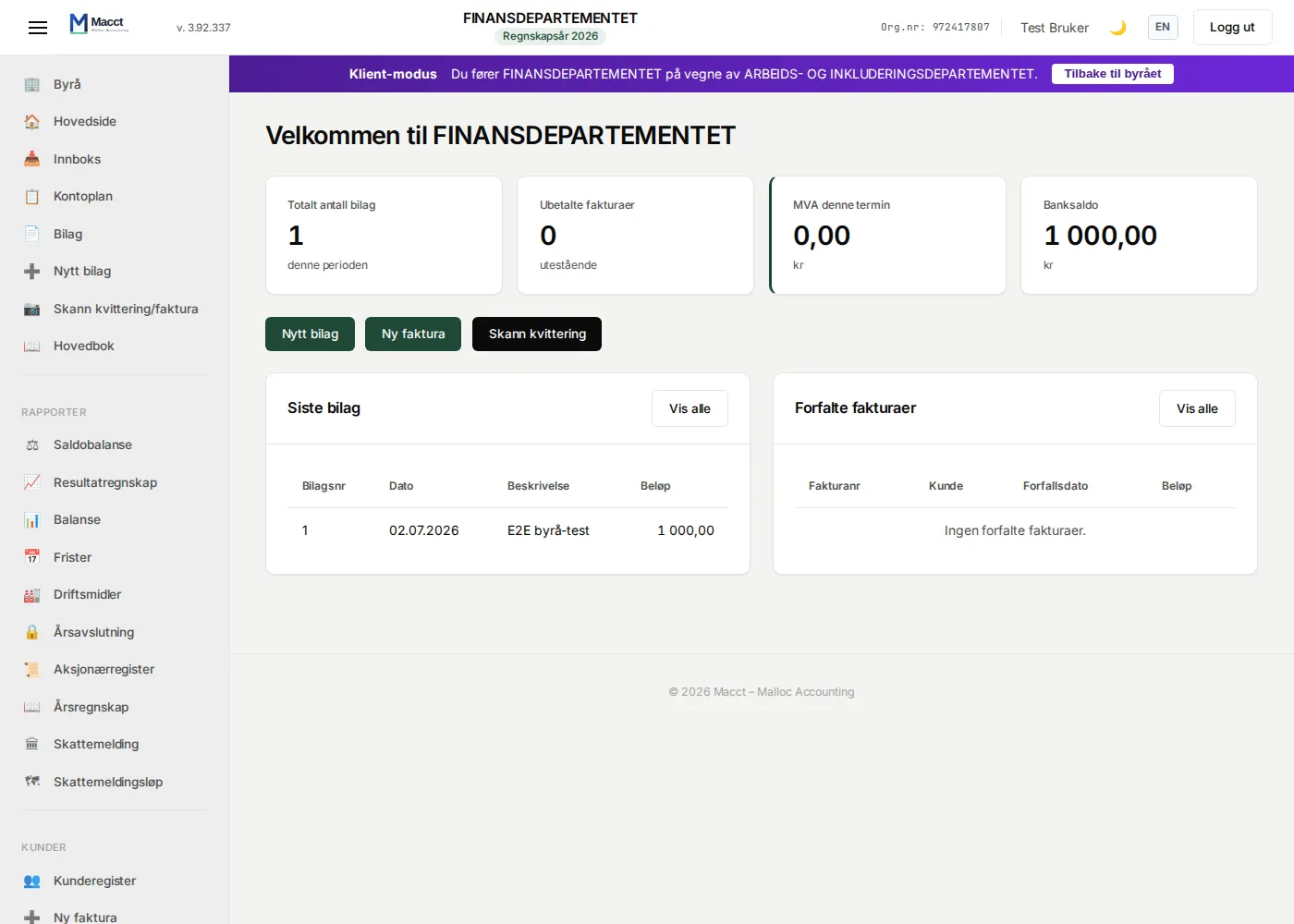
- Do the bookkeeping. Click "Open" on a client and you are inside the client's accounts with everything Macct offers: vouchers, invoicing, VAT, payroll, year-end closing and Altinn submission via the firm's system user. A clear banner always shows which client you are working in, and "Back to the firm" returns you to the overview.
What the firm gets
- A client dashboard with counters per client: inbox (vouchers, EHF, scans), unreconciled bank, payroll awaiting posting, the next deadline (VAT period, a-melding, tax return, annual accounts), subscription and Altinn status and last activity.
- One-click client switching without logging in again, with a clear "Client mode" banner so there is never any doubt which company you are working in.
- E-mail intake per client: every client has its own intake address for documents. The client forwards the invoice — or gives the address to the supplier — and the document is waiting, interpreted, in the client's inbox when the firm logs in. Nothing is posted without approval — unless the client has switched on automatic posting in Settings.
- Roles for employees: firm administrator, accountant (full accounting access in the clients) and read-only (can view, not change — enforced on the server, not just in the interface).
- Per-client access control: the firm administrator can restrict an employee to selected clients. The restriction takes effect immediately — including for sessions that are already logged in.
- New client companies in a minute with automatic lookup and validation against the Brønnøysund Register Centre, VAT choices and an onboarding wizard for the accounting year and opening balance.
- Email invitations: both the firm's own employees and the client's owner/contact person (who gets access to their own accounts) — a one-time link where the recipient chooses their own password.
- Altinn submission on behalf of clients via the firm's agent system user with the "accountant with signing rights" access package (Altinn 3).
- Tick off deadlines: mark a filed VAT period, a-melding or other deadline as handled — it disappears from the overview and the notifications for that client.
- Email digest: every weekday morning the responsible accountant gets one combined email with their clients that have outstanding work or a deadline within 14 days. Unassigned clients are sent to the firm's administrators. No empty emails.
- Full traceability: every time a firm user enters a client it is logged in the client's own security log, and the client can always see who at the firm has access — and can disconnect from the firm themselves, at any time.
Pricing
Each client company has its own Macct subscription at 250 kr per month (ex. VAT) — the same flat price as every other Macct customer, only for months the system is used, with no lock-in. The firm's own account is also a regular subscription. There is currently no separate firm pricing or consolidated invoicing — let us know at firmapost@macct.no if your firm needs it.
Honest about what does not exist yet
The firm feature is new (launched July 2026), and we would rather be honest than oversell:
- No consolidated invoicing or firm discount — each client pays its own subscription.
- Large firms with hundreds of clients and advanced workflow needs are not the target group yet — we recommend starting with a few clients to see whether Macct fits.
Get started
Register the firm as a regular Macct customer and enable firm mode yourself under Settings → Accounting firm. A 30-day free trial on each company, no lock-in, and export (SAF-T, Excel, PDF) at any time.